Thoughts & experiments on brand, design systems, and tools that empower designers and creatives.
As a designer who regularly blends traditional UX/UI work with AI-assisted creation (image generation, video, and copy), I kept hitting the same friction: my best prompts scattered across chat histories, random notes, and forgotten files. I decided to fix it myself by building Prompt Vault (working name: CreaturePrompt) — a lightweight, self-hosted prompt management system tailored for creatives working across modalities.
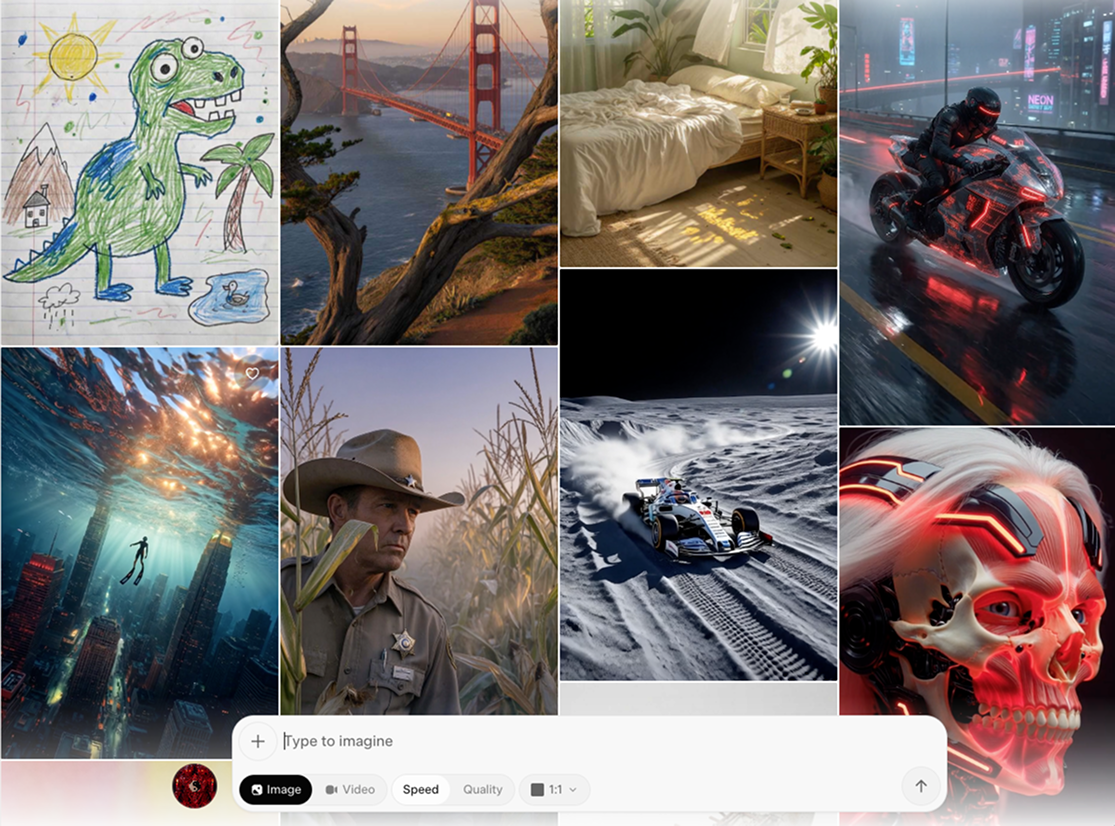
Facing the empty prompt screen in your favorite LLM image/video tool? Introducing Prompt Vault.
The Problem I Set Out to Solve
Creative AI workflows move fast. One minute you’re refining a Midjourney character, the next you’re prompting Claude for campaign copy or Runway for motion. Without structure, great prompts vanish. Rebuilding them from memory wastes time and leads to inconsistent results.
I wanted a personal tool that would:
Organize prompts by type (Image, Video, Text) while keeping them searchable and reusable
Enforce a consistent, effective structure without feeling rigid
Store reference images and thumbnails for visual work
Stay simple, fast, and accessible across devices — including offline-first use
Commercial options either didn’t exist, felt bloated, or locked you into one platform. So I designed and built my own.
Core Concept: The ROSES Framework
At the heart of Prompt Vault is the ROSES structure I developed:
Role — Who the AI should be
Objective — What it needs to achieve
Scenario — The context or constraints
Expected Solution — Desired output characteristics
Steps — How to approach it
This framework adapts beautifully across tools. An image prompt’s “Steps” might specify style and composition, while a text prompt’s might outline structure and tone. It forces clarity — which consistently yields stronger AI outputs — without sacrificing creativity.
Key Features (Designed for Real Creative Flow)
Multi-Modal Tabs — Switch instantly between Image, Video, and Text libraries. Same ROSES backbone, context-aware fields.
Visual Reference System — Upload reference images that attach to prompts and generate thumbnails. Perfect for style references, mood boards, or before/after examples.
Tag-Based Organization — Flexible tags (#product-photography, #anime-character, #brand-voice) instead of rigid folders. Quick filtering and search.
Live Prompt Preview — See the assembled prompt in real time as you fill fields — no surprises when copying to your AI tool.
Scratchpad — A quick overlay for testing variations before saving the winner.
Cloud Sync — Self-hosted backend with image storage so your library travels with you.
The entire experience is intentionally minimal and focused — built for speed during creative sprints.
How I Built It (Designer-Led Development)
I approached this as a product designer who codes. Started with a single HTML file + basic form to validate the UX in real time. Once the interaction felt right, I layered in:
Frontend: Pure HTML/JS with Alpine.js (tiny and reactive) + Tailwind. Deployed on Vercel for instant updates.
Backend: Node.js + Express + SQLite (simple, reliable, file-based). Image uploads via Multer. Hosted on AWS Lightsail.
Infrastructure: HTTPS via Let’s Encrypt + Nginx, PM2 for uptime, automatic backups.
This lean stack let me iterate rapidly — exactly what a solo designer needs. No heavy frameworks slowing me down. I could tweak the UI, refresh the browser, and test immediately.
Key lessons from the build:
Constraints improve design — Removing drag-and-drop and complex folders made the app faster and clearer.
ROSES is universal — It now helps me write better marketing copy, scripts, and even UX documentation.
Velocity matters — Simple tools ship faster and feel more joyful to use.
Future Product Vision
Prompt Vault started as a personal solution, but I see clear paths to turn it into something bigger for the creative community:
User accounts and shared prompt libraries
Prompt versioning and iteration history
One-click integration with major AI platforms
Curated template packs for common design use cases (e.g., “E-commerce Product Hero Shots,” “Brand Storytelling Emails”)
I’m excited about building more productivity tools like this — ones that remove friction for designers and creatives rather than adding complexity.
Try It or Fork It (coming soon to GitHub)
Prototype available here: CreaturePrompt.com (self-hosted version coming soon).
The code is intentionally approachable — you could fork and customize your own version quickly. If you work with AI prompts regularly, I’d love your feedback on what would make it even more useful.
See more of my visual and design experiments: instagram.com/serfdad
Questions about the process, UX decisions, or potential features? Reach out via paulgoins.com/contact or check the repo.
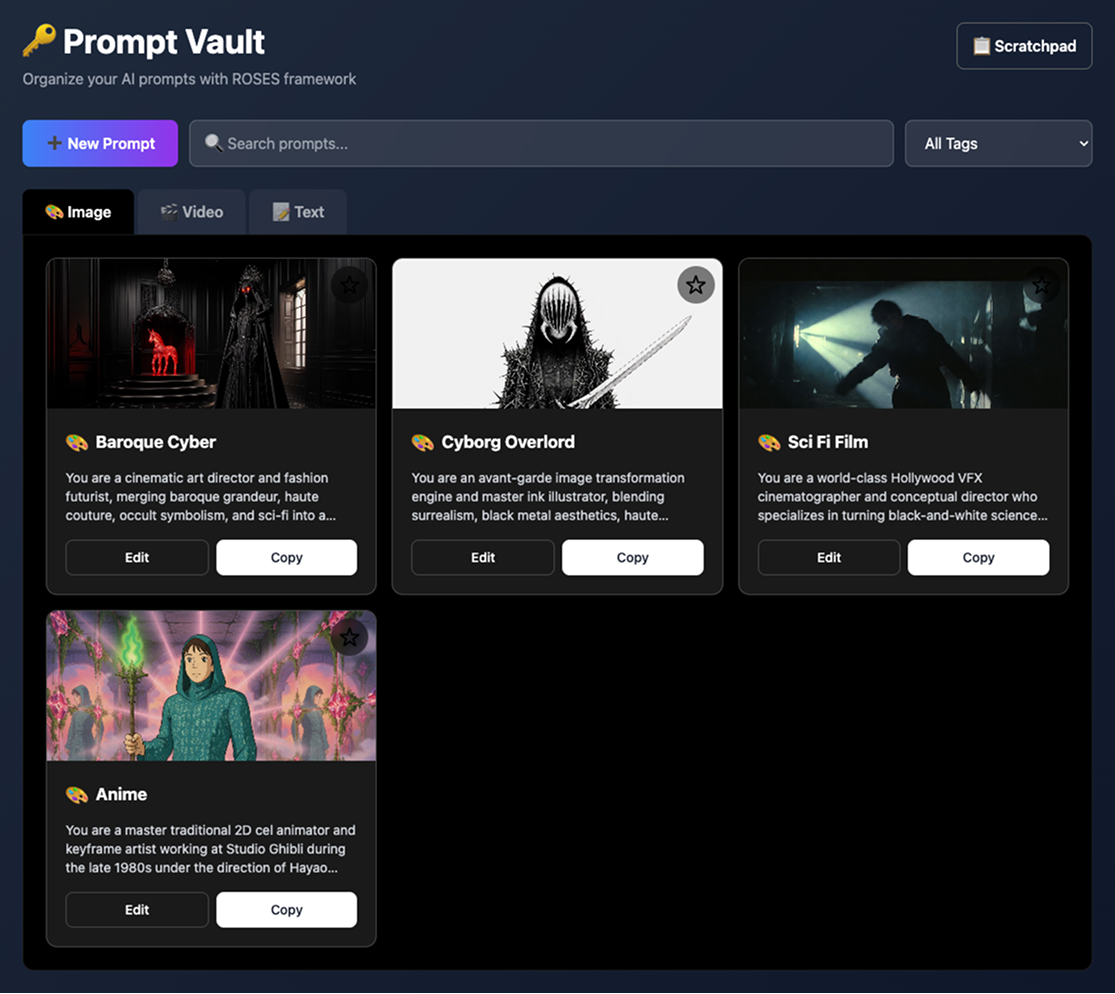
Cool character & scene creation prompts ready to copy and paste into your favorite LLM Imagine creation tool.
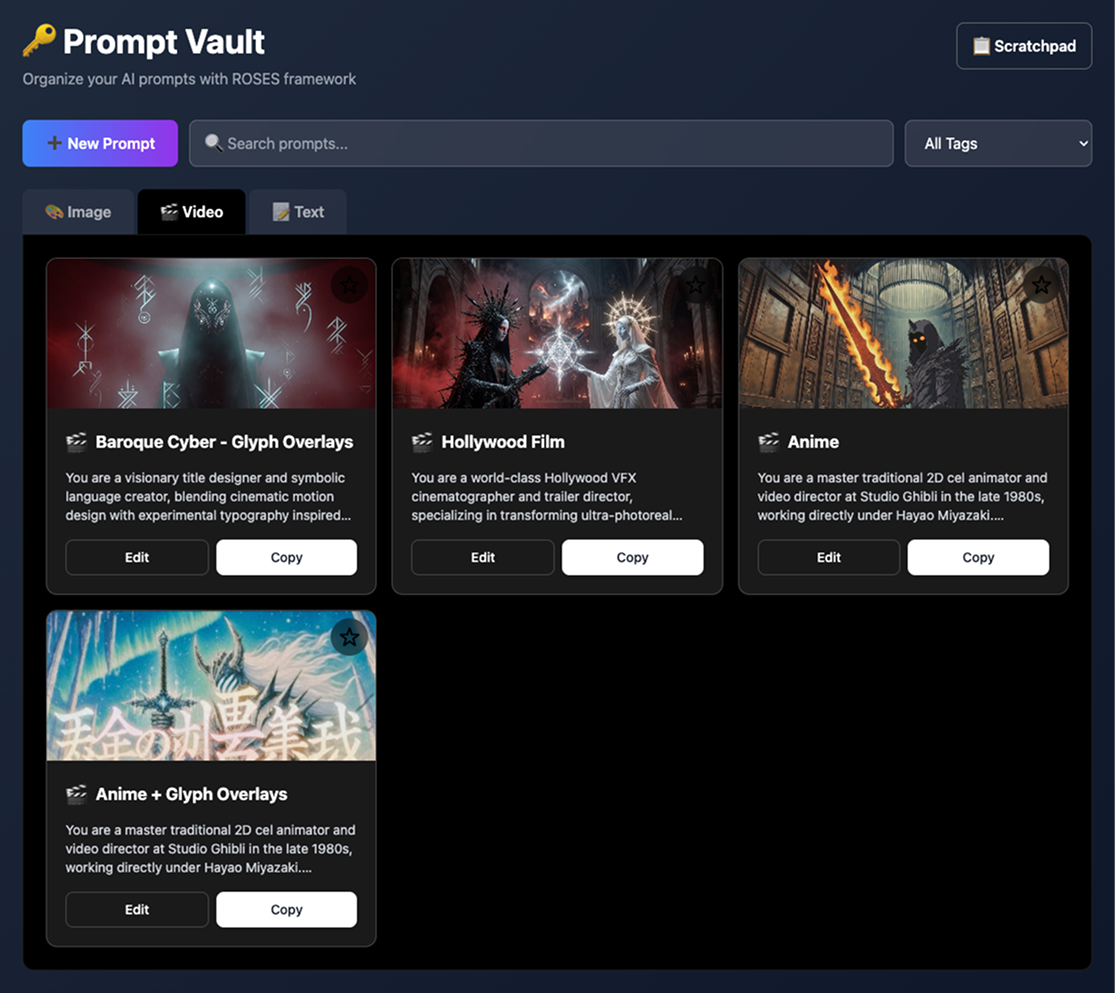
Image, Video and Text tabs keep prompts organized and quick to grab during your workflow.
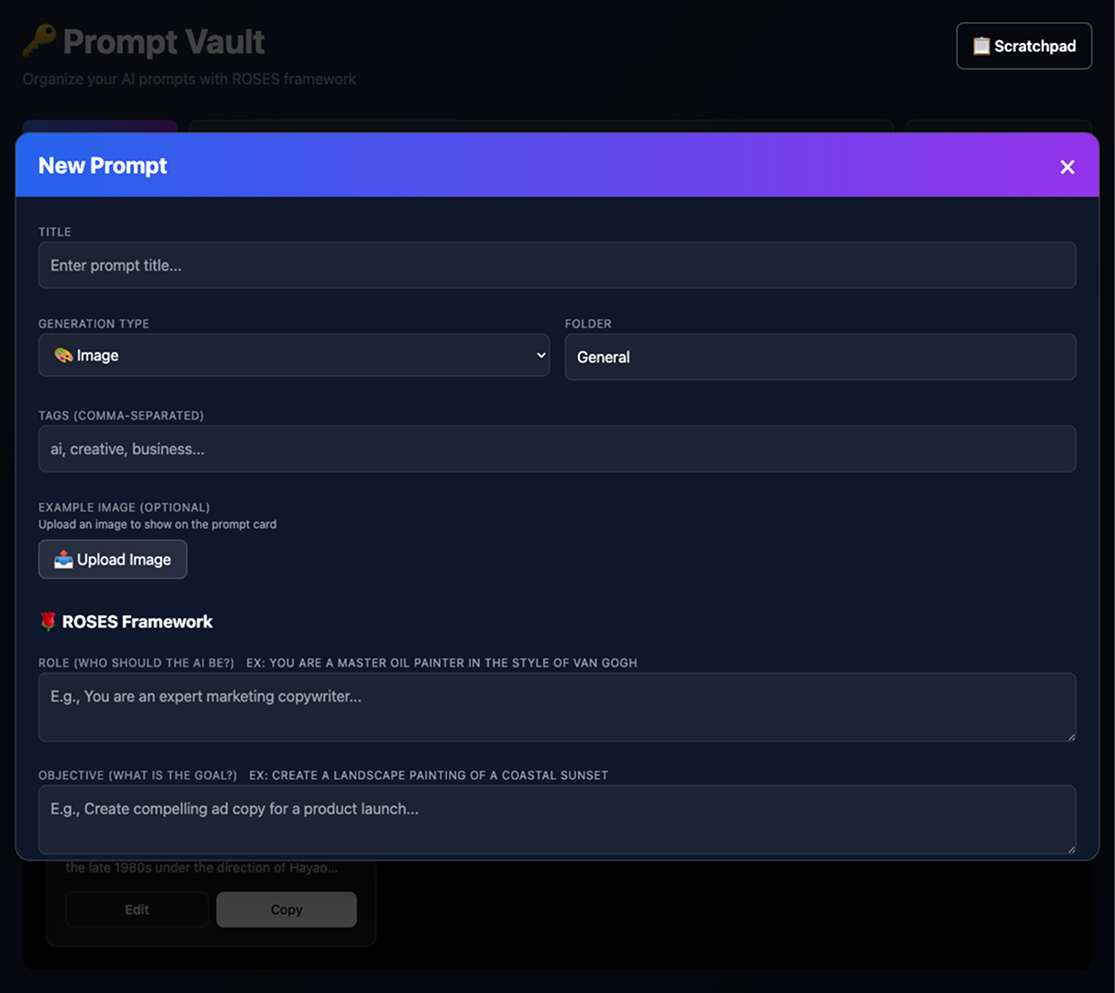
Easy prompt creation and editing

Multi-modal prompt sorting & search
Each type uses the same ROSES framework but adapts to the medium. For example, an image prompt's "Steps" might be "Use thick brushstrokes, layer colors, add texture," while a text prompt's "Steps" could be "1. Hook with a question, 2. Provide solution, 3. Call to action."
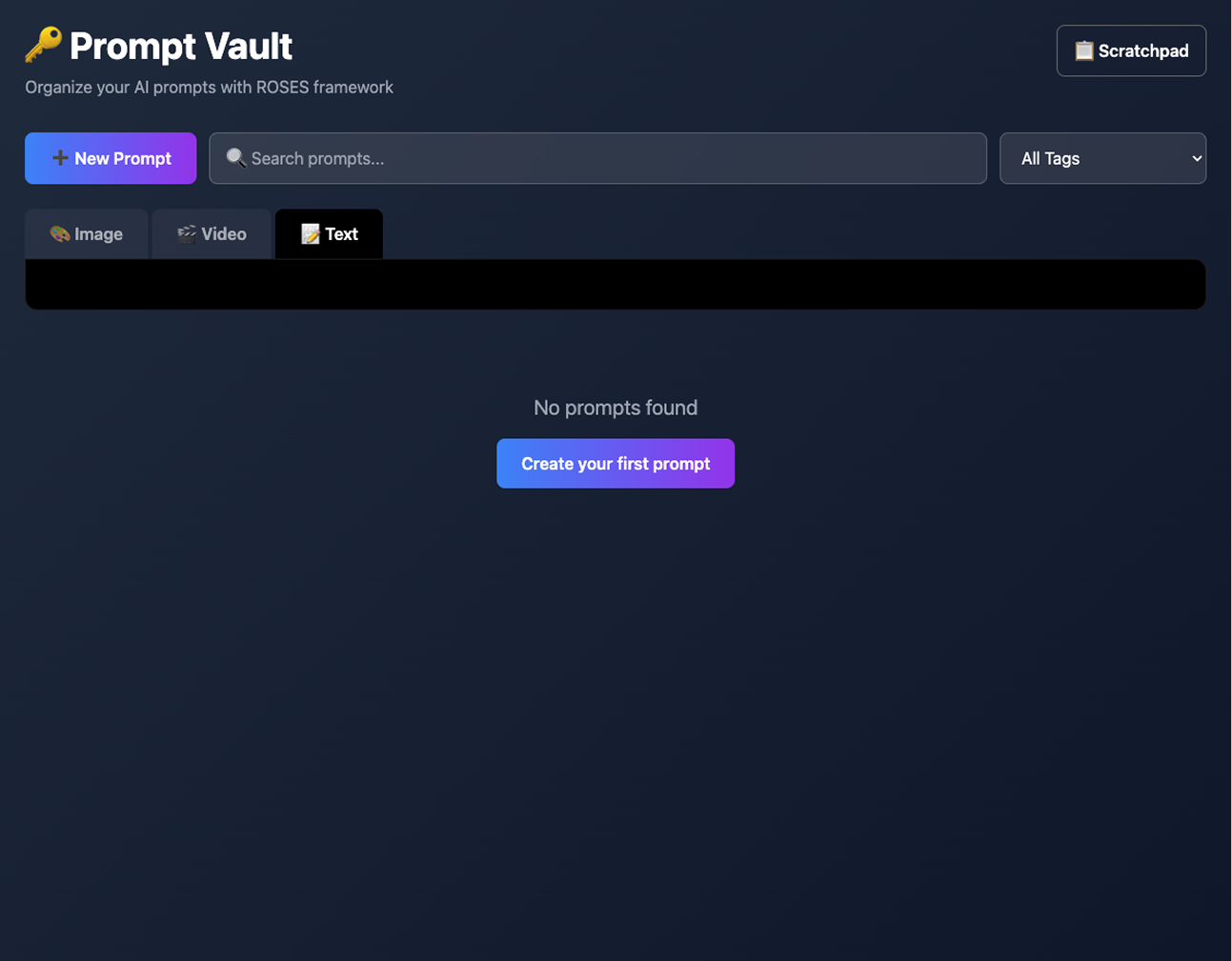
Easy to fork and build your own site using this idea & structure.
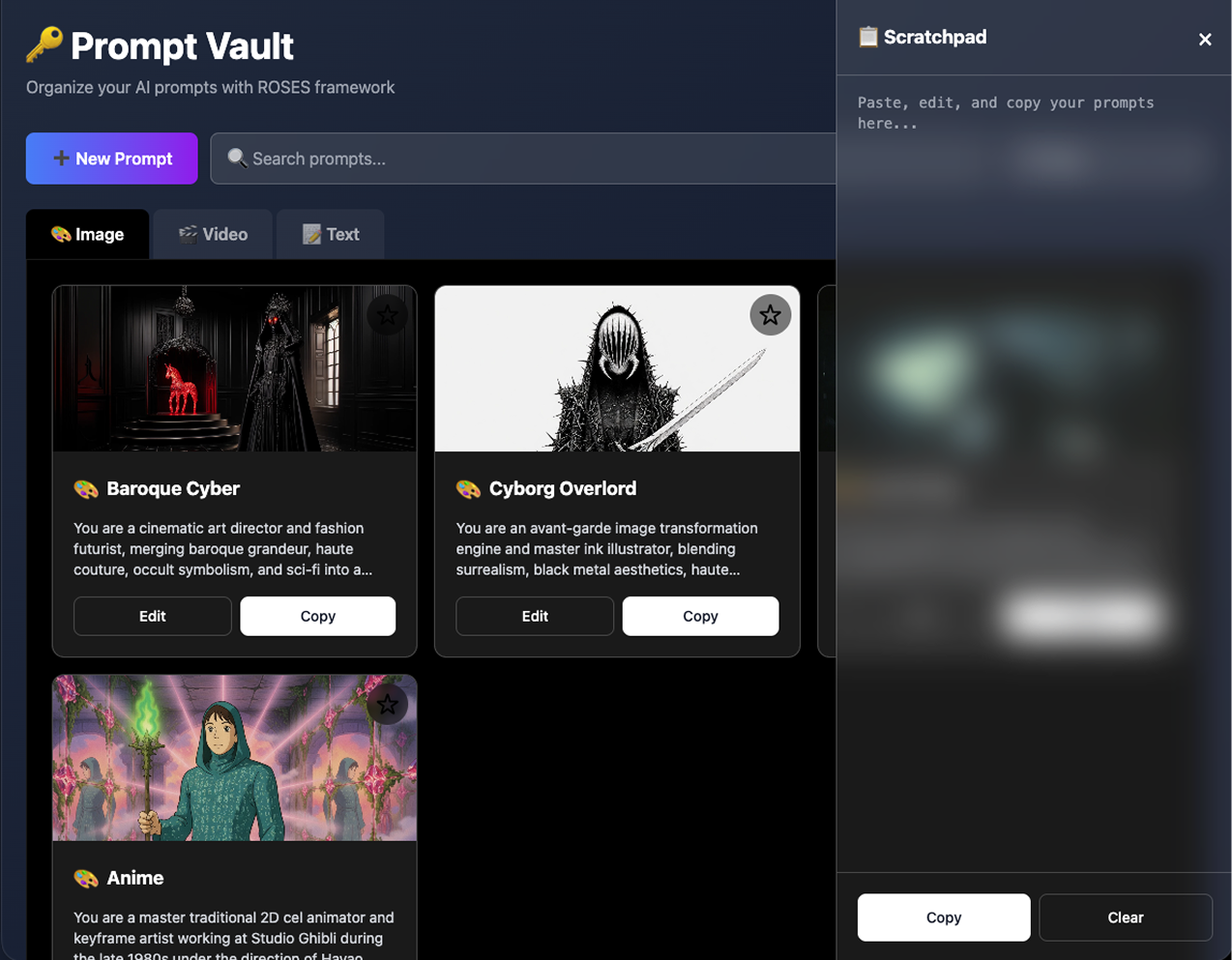
Optional, scratchpad overlay for mincing and editing text without leaving the current window.