The age of passive chatbots is ending. AI is rapidly becoming agentic — systems that plan, reason, use tools, and execute complex, multi-step tasks on their own. With that power comes a critical challenge: how do we keep humans in meaningful control without sacrificing speed or capability?
The answer lies in a new layer of orchestration interfaces — transparent, controllable, and trustworthy designs that turn AI from a mysterious black box into a visible, collaborative partner.
Here are the core principles emerging from forward-thinking agent design:
1. Visible Reasoning: Live Thought Trace Steppers
Make the AI’s thinking process visible in real time. Instead of hiding chain-of-thought behind the scenes, show it as a clean, step-by-step “trace” — streaming cards or a collapsible stepper that updates live as the model reasons.
Users can pause, inspect, edit assumptions, or fork the reasoning path mid-process. This turns passive observation into active co-reasoning and dramatically reduces the “what is it even doing?” anxiety.
2. Proactive Consent: Action Plan Cards
Before diving into execution, the AI presents a clear action plan as modular cards:
Step-by-step breakdown
Tools and resources needed
Expected outputs
Potential risks
The user can approve, edit, reject, or tweak individual steps. This simple consent layer prevents drift and builds shared understanding from the start.
3. Calibrated Trust: Confidence Signals
Every step and output should display the AI’s confidence level — whether as percentages, qualitative labels (High/Medium/Low), or visual bars. Low-confidence elements automatically trigger human review or alternative suggestions.
This makes trust explicit and dynamic rather than blindly assumed.
4. Progressive Autonomy: The Human-in-the-Loop Player
Treat AI execution like a media player. A prominent autonomy slider or control lets users choose the level for the task or per step:
Watch — AI shows its work but takes no actions
Assist — AI proposes actions for approval
Full Autonomy — AI executes independently (within defined safety bounds)
Add clear Stop and Escalate buttons for instant intervention. Over time, the system can learn individual user preferences and refine default autonomy levels.
5. Grounded Generation: Citations for Text and UI
Every claim, data point, and even dynamically generated interfaces (Generative UI) should be grounded with visible citations. Inline footnotes, hover tooltips, or side panels let users instantly verify sources or understand the reasoning behind design choices.
This combats hallucinations and makes AI-generated outputs auditable and trustworthy.
6. Economic Transparency: Pre-Compute Costs
Before running any significant plan, the AI estimates token usage and dollar cost with a clear breakdown. Users explicitly authorize spend (“Run at up to $2.40?”) or set budget caps.
Responsible stewardship turns AI from a potential money pit into a accountable teammate.
Why These Patterns Matter
Together, these elements create glass-box agents — systems that are transparent, steerable, and genuinely collaborative. They resolve the core tensions of agentic AI: autonomy vs. safety, speed vs. oversight, capability vs. trust.
Users no longer feel like they’re handing control to an opaque oracle. Instead, they work with a skilled apprentice that shows its work, asks permission when needed, stays grounded, and respects boundaries.
The best interfaces won’t just make AI more powerful — they’ll make the collaboration more human.
As agentic systems become mainstream, the winners won’t be the models with the most parameters, but those wrapped in orchestration layers that feel intuitive, safe, and delightful to use.
This is the next frontier in AI interface design: not just generating better answers, but designing better relationships between humans and intelligent systems.
Examples
Here are three strong, real-world UI examples that closely illustrate key elements from the orchestration concepts (visible reasoning/thought traces, action planning with consent, progressive autonomy/controls, and grounded/generative outputs). I selected these for their clarity and relevance:
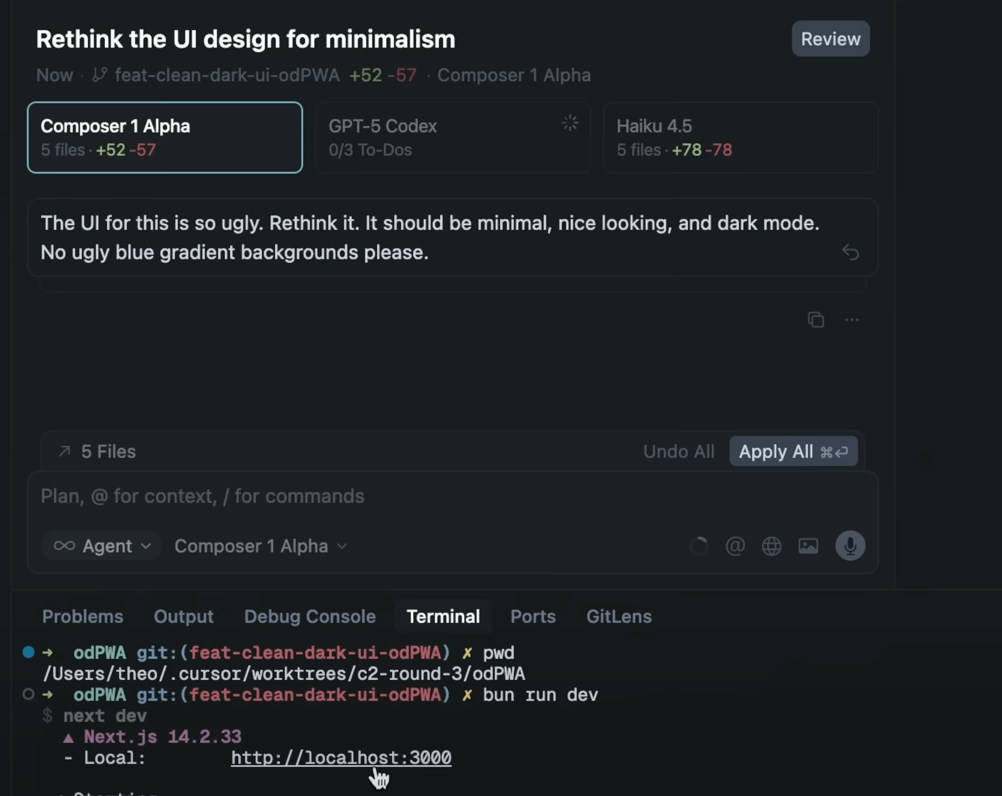
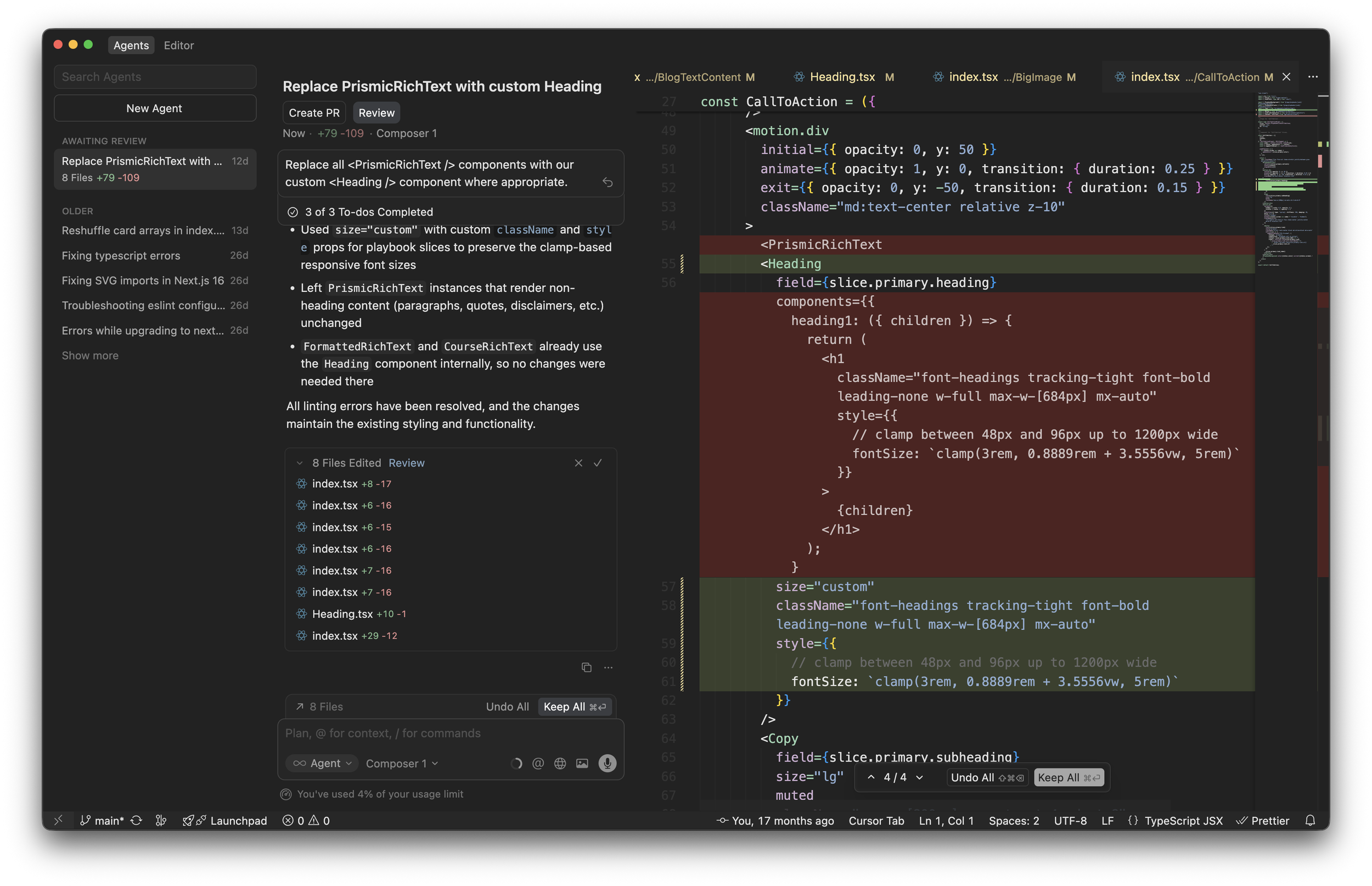
Cursor AI Composer – Agentic Coding with Planning & Controls
This shows an agentic interface in action: multi-file planning, to-do style breakdowns, review/approve flows, and agent mode toggles. It captures action plan cards, human-in-the-loop review, and autonomy-like controls beautifully in a productive workflow.
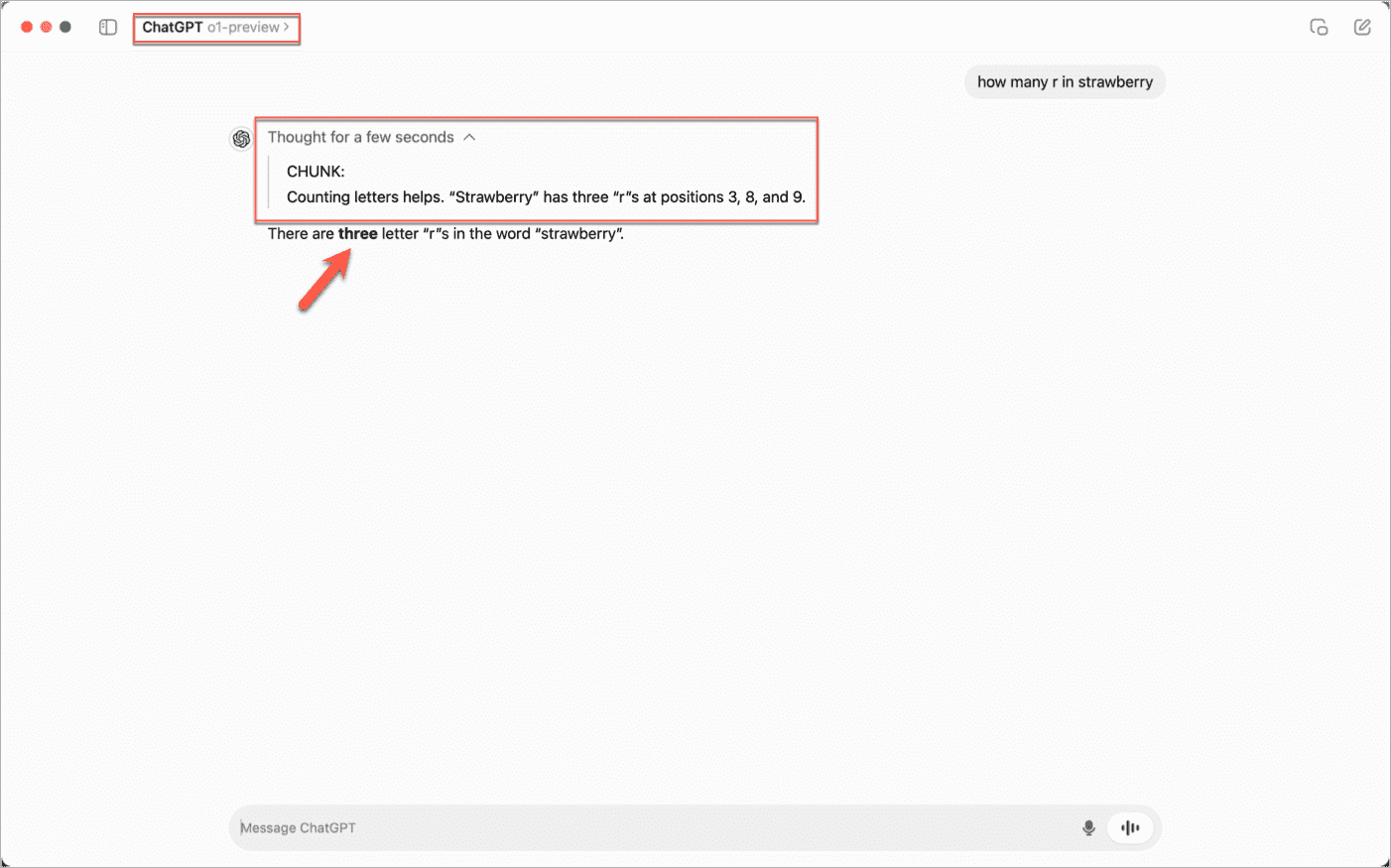
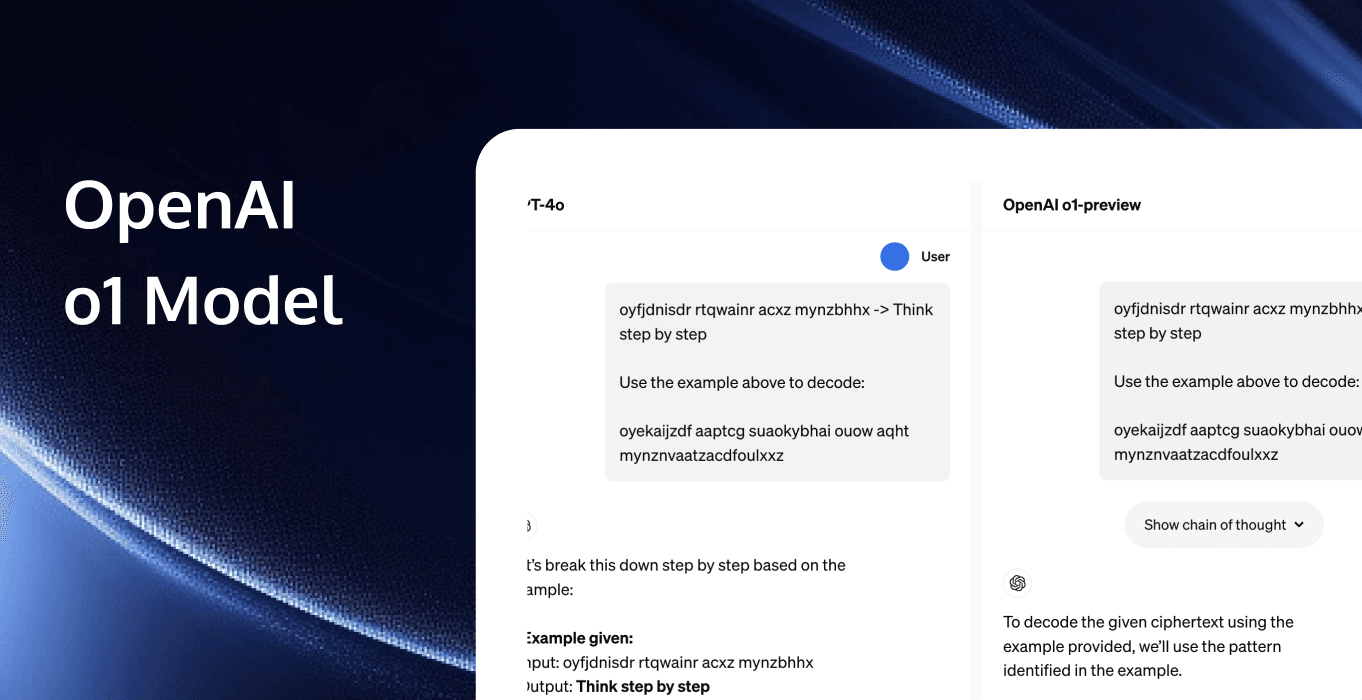
OpenAI o1 / ChatGPT o1-preview – Visible Chain-of-Thought Reasoning
A classic example of thought trace steppers and live chain-of-thought. The UI surfaces the model's internal reasoning steps (with timing and structured breakdown), making the "thinking" process transparent before delivering the final answer.
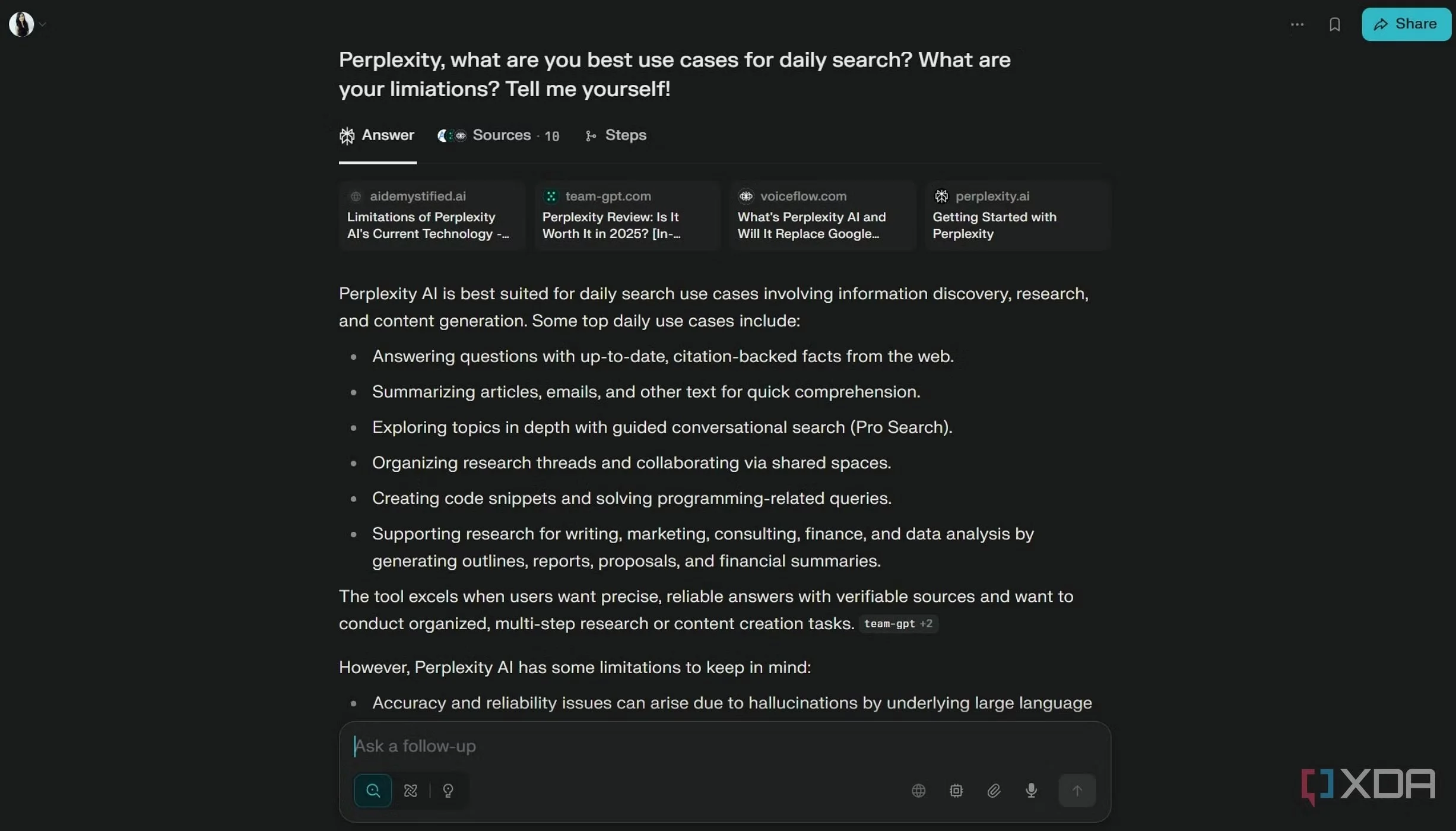
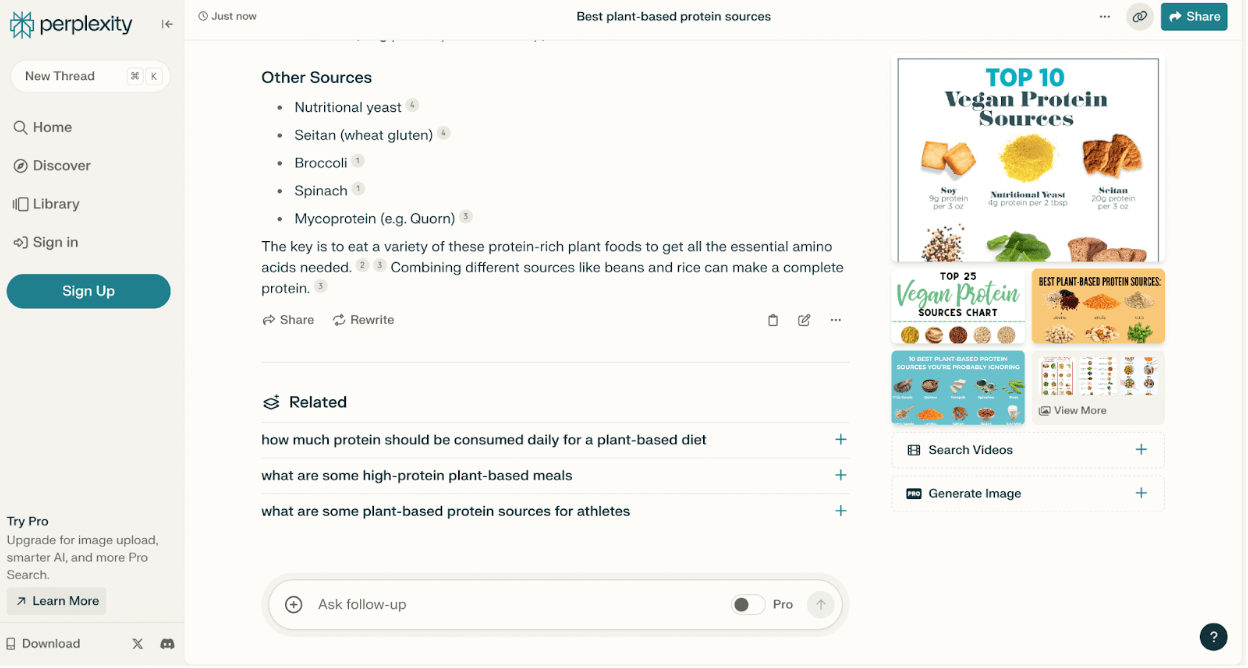
Perplexity AI – Grounded Citations & Structured Output
Excellent demonstration of grounding with citations in a clean, scannable interface. Sources are prominently displayed and linked, with related follow-ups and visual summaries—ideal for verifiable, trustworthy agent outputs.