Building Prompt Vault: A Personal AI Prompt Management System

Thoughts & experiments on brand, design systems, and tools that empower designers and creatives.

As a designer who regularly blends traditional UX/UI work with AI-assisted creation (image generation, video, and copy), I kept hitting the same friction: my best prompts scattered across chat histories, random notes, and forgotten files. I decided to fix it myself by building Prompt Vault (working name: CreaturePrompt) — a lightweight, self-hosted prompt management system tailored for creatives working across modalities.

Use the prototype: CreaturePrompt.com

Facing the empty prompt screen in your favorite LLM image/video tool? Introducing Prompt Vault.

The Problem I Set Out to Solve

Creative AI workflows move fast. One minute you’re refining a Midjourney character, the next you’re prompting Claude for campaign copy or Runway for motion. Without structure, great prompts vanish. Rebuilding them from memory wastes time and leads to inconsistent results.

I wanted a personal tool that would:

  • Organize prompts by type (Image, Video, Text) while keeping them searchable and reusable

  • Enforce a consistent, effective structure without feeling rigid

  • Store reference images and thumbnails for visual work

  • Stay simple, fast, and accessible across devices — including offline-first use

Commercial options either didn’t exist, felt bloated, or locked you into one platform. So I designed and built my own.

Core Concept: The ROSES Framework

At the heart of Prompt Vault is the ROSES structure I developed:

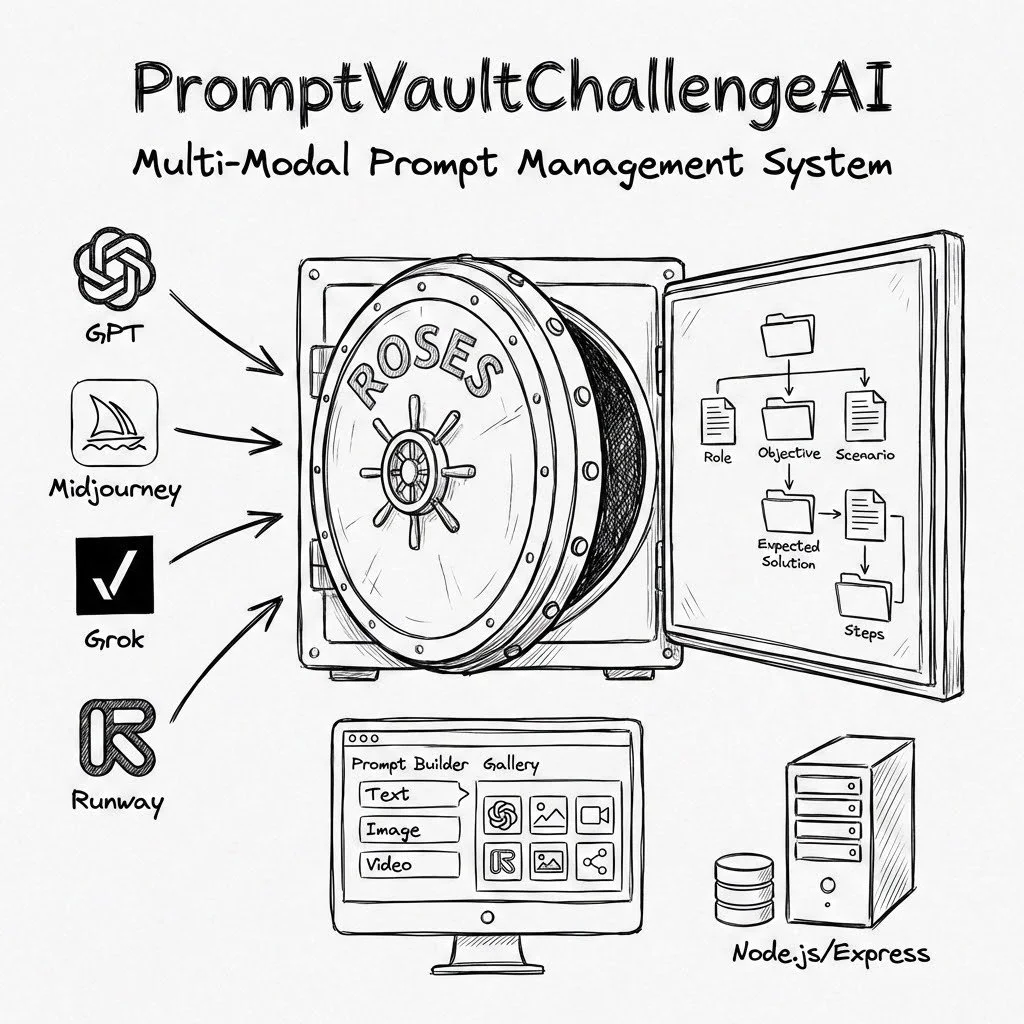
  1. Role — Who the AI should be

  2. Objective — What it needs to achieve

  3. Scenario — The context or constraints

  4. Expected Solution — Desired output characteristics

  5. Steps — How to approach it

This framework adapts beautifully across tools. An image prompt’s “Steps” might specify style and composition, while a text prompt’s might outline structure and tone. It forces clarity — which consistently yields stronger AI outputs — without sacrificing creativity.

Key Features (Designed for Real Creative Flow)

  • Multi-Modal Tabs — Switch instantly between Image, Video, and Text libraries. Same ROSES backbone, context-aware fields.

  • Visual Reference System — Upload reference images that attach to prompts and generate thumbnails. Perfect for style references, mood boards, or before/after examples.

  • Tag-Based Organization — Flexible tags (#product-photography, #anime-character, #brand-voice) instead of rigid folders. Quick filtering and search.

  • Live Prompt Preview — See the assembled prompt in real time as you fill fields — no surprises when copying to your AI tool.

  • Scratchpad — A quick overlay for testing variations before saving the winner.

  • Cloud Sync — Self-hosted backend with image storage so your library travels with you.

The entire experience is intentionally minimal and focused — built for speed during creative sprints.

How I Built It (Designer-Led Development)

I approached this as a product designer who codes. Started with a single HTML file + basic form to validate the UX in real time. Once the interaction felt right, I layered in:

Frontend: Pure HTML/JS with Alpine.js (tiny and reactive) + Tailwind. Deployed on Vercel for instant updates.

Backend: Node.js + Express + SQLite (simple, reliable, file-based). Image uploads via Multer. Hosted on AWS Lightsail.

Infrastructure: HTTPS via Let’s Encrypt + Nginx, PM2 for uptime, automatic backups.

This lean stack let me iterate rapidly — exactly what a solo designer needs. No heavy frameworks slowing me down. I could tweak the UI, refresh the browser, and test immediately.

Key lessons from the build:

  • Constraints improve design — Removing drag-and-drop and complex folders made the app faster and clearer.

  • ROSES is universal — It now helps me write better marketing copy, scripts, and even UX documentation.

  • Velocity matters — Simple tools ship faster and feel more joyful to use.

Future Product Vision

Prompt Vault started as a personal solution, but I see clear paths to turn it into something bigger for the creative community:

  • User accounts and shared prompt libraries

  • Prompt versioning and iteration history

  • One-click integration with major AI platforms

  • Curated template packs for common design use cases (e.g., “E-commerce Product Hero Shots,” “Brand Storytelling Emails”)

I’m excited about building more productivity tools like this — ones that remove friction for designers and creatives rather than adding complexity.

Try It or Fork It (coming soon to GitHub)

Prototype available here: CreaturePrompt.com (self-hosted version coming soon).

The code is intentionally approachable — you could fork and customize your own version quickly. If you work with AI prompts regularly, I’d love your feedback on what would make it even more useful.

See more of my visual and design experiments: instagram.com/serfdad

Questions about the process, UX decisions, or potential features? Reach out via paulgoins.com/contact or check the repo.
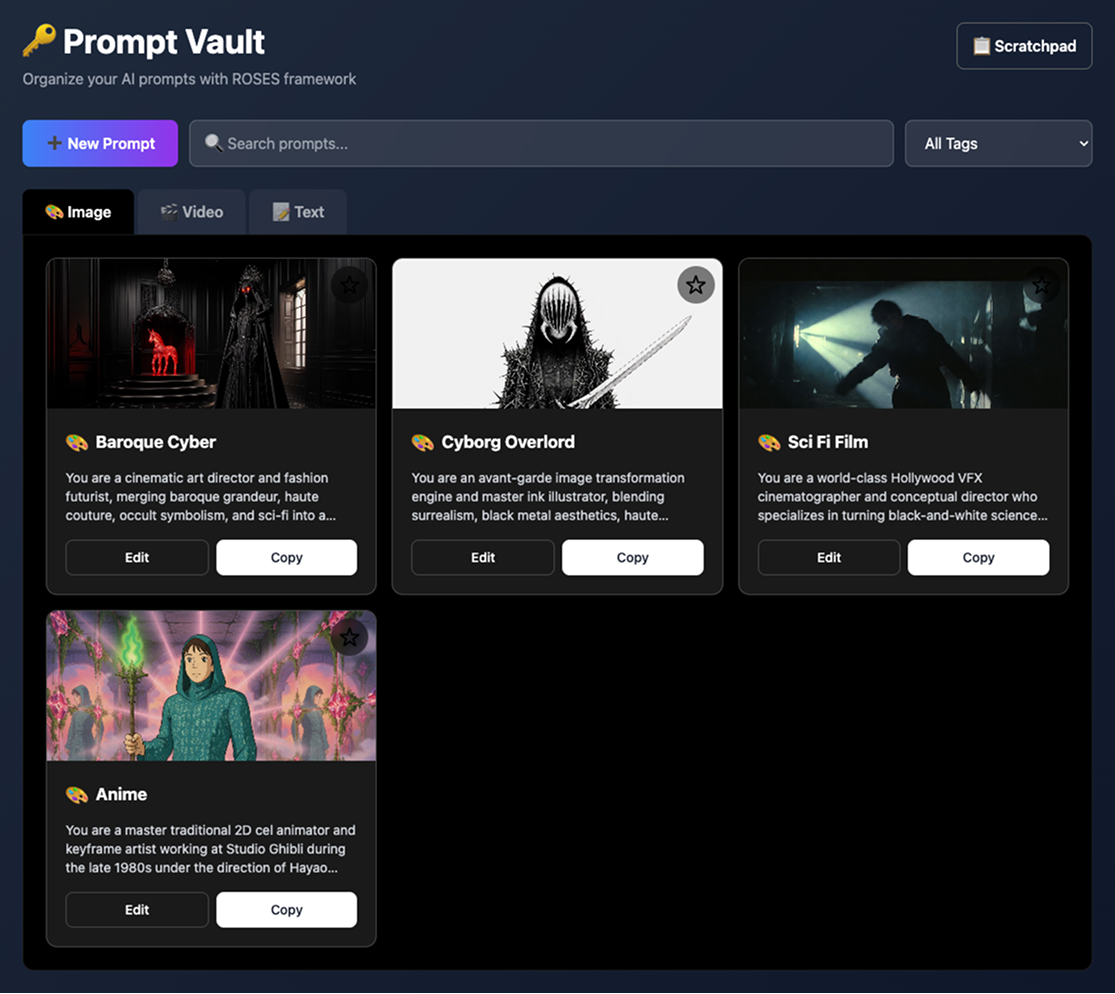
Cool character & scene creation prompts ready to copy and paste into your favorite LLM Imagine creation tool.
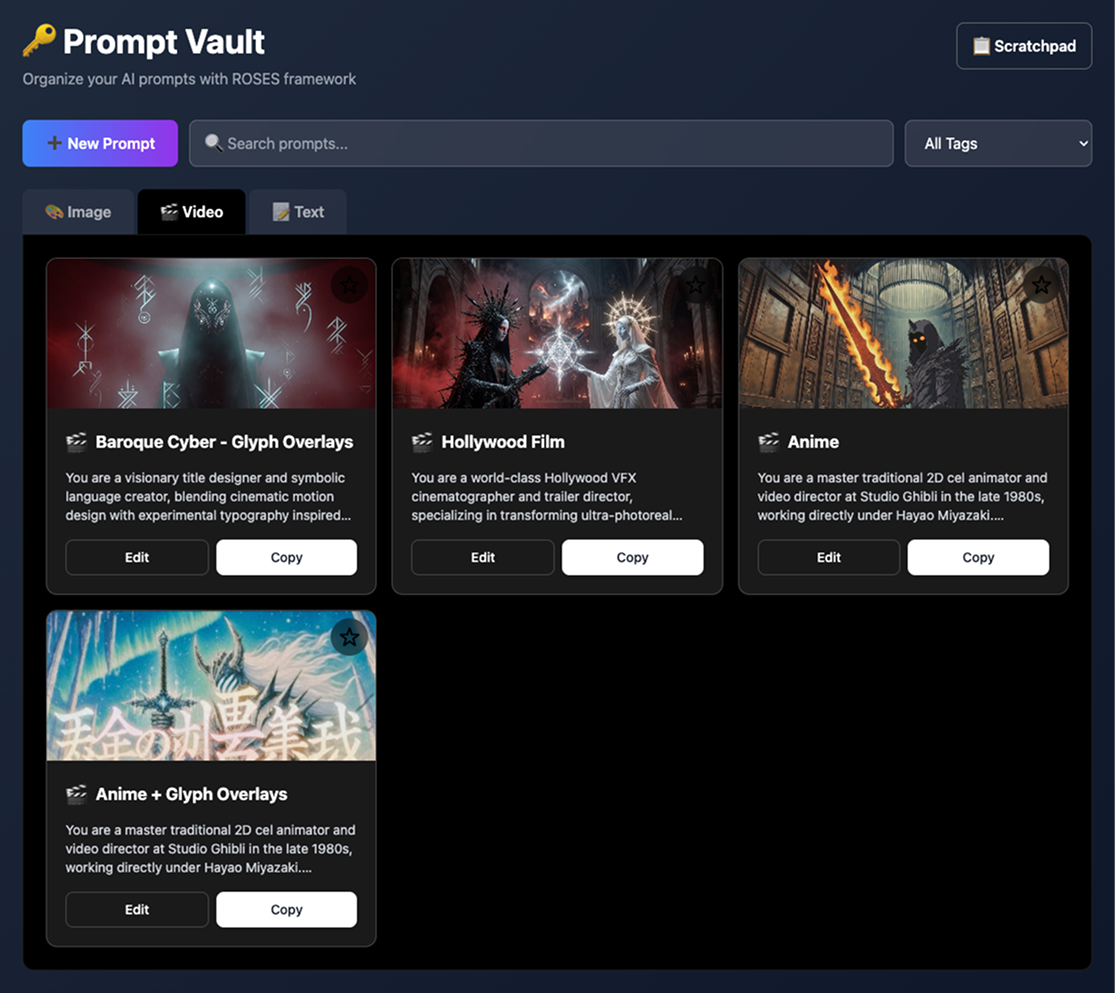
Image, Video and Text tabs keep prompts organized and quick to grab during your workflow.
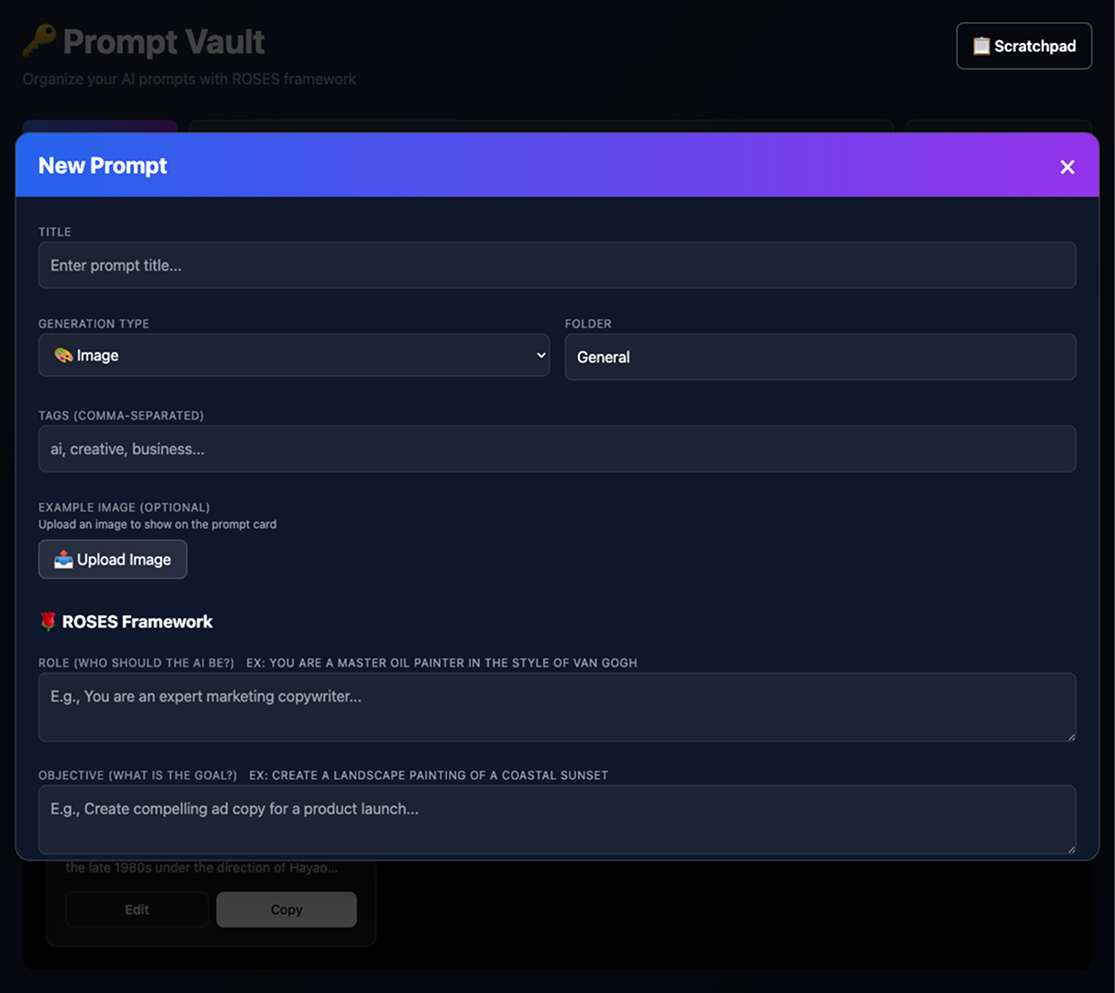
Easy prompt creation and editing

Multi-modal prompt sorting & search

Each type uses the same ROSES framework but adapts to the medium. For example, an image prompt's "Steps" might be "Use thick brushstrokes, layer colors, add texture," while a text prompt's "Steps" could be "1. Hook with a question, 2. Provide solution, 3. Call to action."
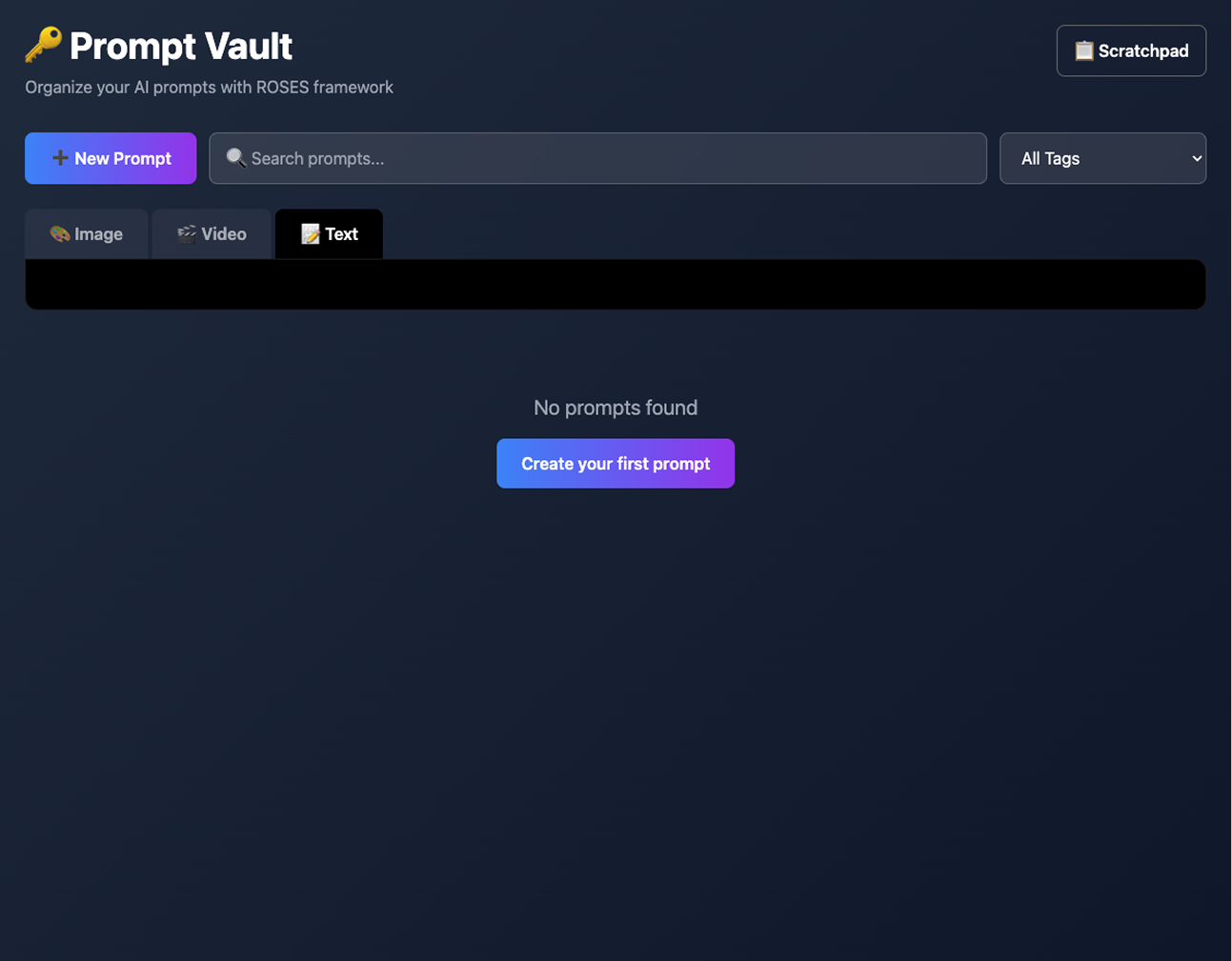
Easy to fork and build your own site using this idea & structure.
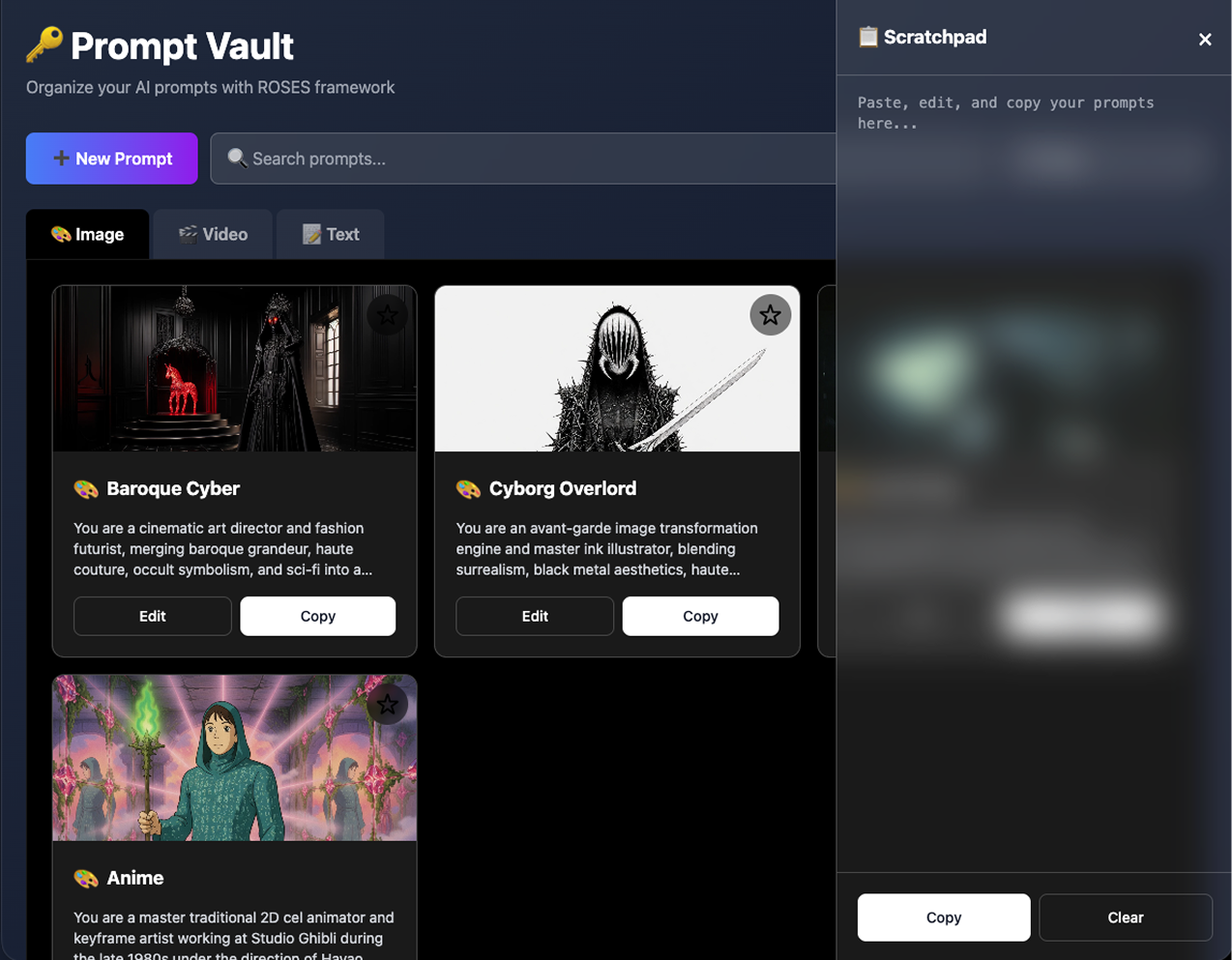
Optional, scratchpad overlay for mincing and editing text without leaving the current window.
Orchestrating Intelligence: The Next Frontier in AI Interface Design

The age of passive chatbots is ending. AI is rapidly becoming agentic — systems that plan, reason, use tools, and execute complex, multi-step tasks on their own. With that power comes a critical challenge: how do we keep humans in meaningful control without sacrificing speed or capability?

The answer lies in a new layer of orchestration interfaces — transparent, controllable, and trustworthy designs that turn AI from a mysterious black box into a visible, collaborative partner.

Here are the core principles emerging from forward-thinking agent design:

1. Visible Reasoning: Live Thought Trace Steppers

Make the AI’s thinking process visible in real time. Instead of hiding chain-of-thought behind the scenes, show it as a clean, step-by-step “trace” — streaming cards or a collapsible stepper that updates live as the model reasons.

Users can pause, inspect, edit assumptions, or fork the reasoning path mid-process. This turns passive observation into active co-reasoning and dramatically reduces the “what is it even doing?” anxiety.

2. Proactive Consent: Action Plan Cards

Before diving into execution, the AI presents a clear action plan as modular cards:

  • Step-by-step breakdown

  • Tools and resources needed

  • Expected outputs

  • Potential risks

The user can approve, edit, reject, or tweak individual steps. This simple consent layer prevents drift and builds shared understanding from the start.

3. Calibrated Trust: Confidence Signals

Every step and output should display the AI’s confidence level — whether as percentages, qualitative labels (High/Medium/Low), or visual bars. Low-confidence elements automatically trigger human review or alternative suggestions.

This makes trust explicit and dynamic rather than blindly assumed.

4. Progressive Autonomy: The Human-in-the-Loop Player

Treat AI execution like a media player. A prominent autonomy slider or control lets users choose the level for the task or per step:

  • Watch — AI shows its work but takes no actions

  • Assist — AI proposes actions for approval

  • Full Autonomy — AI executes independently (within defined safety bounds)

Add clear Stop and Escalate buttons for instant intervention. Over time, the system can learn individual user preferences and refine default autonomy levels.

5. Grounded Generation: Citations for Text and UI

Every claim, data point, and even dynamically generated interfaces (Generative UI) should be grounded with visible citations. Inline footnotes, hover tooltips, or side panels let users instantly verify sources or understand the reasoning behind design choices.

This combats hallucinations and makes AI-generated outputs auditable and trustworthy.

6. Economic Transparency: Pre-Compute Costs

Before running any significant plan, the AI estimates token usage and dollar cost with a clear breakdown. Users explicitly authorize spend (“Run at up to $2.40?”) or set budget caps.

Responsible stewardship turns AI from a potential money pit into a accountable teammate.

Why These Patterns Matter

Together, these elements create glass-box agents — systems that are transparent, steerable, and genuinely collaborative. They resolve the core tensions of agentic AI: autonomy vs. safety, speed vs. oversight, capability vs. trust.

Users no longer feel like they’re handing control to an opaque oracle. Instead, they work with a skilled apprentice that shows its work, asks permission when needed, stays grounded, and respects boundaries.

The best interfaces won’t just make AI more powerful — they’ll make the collaboration more human.

As agentic systems become mainstream, the winners won’t be the models with the most parameters, but those wrapped in orchestration layers that feel intuitive, safe, and delightful to use.

This is the next frontier in AI interface design: not just generating better answers, but designing better relationships between humans and intelligent systems.

Examples

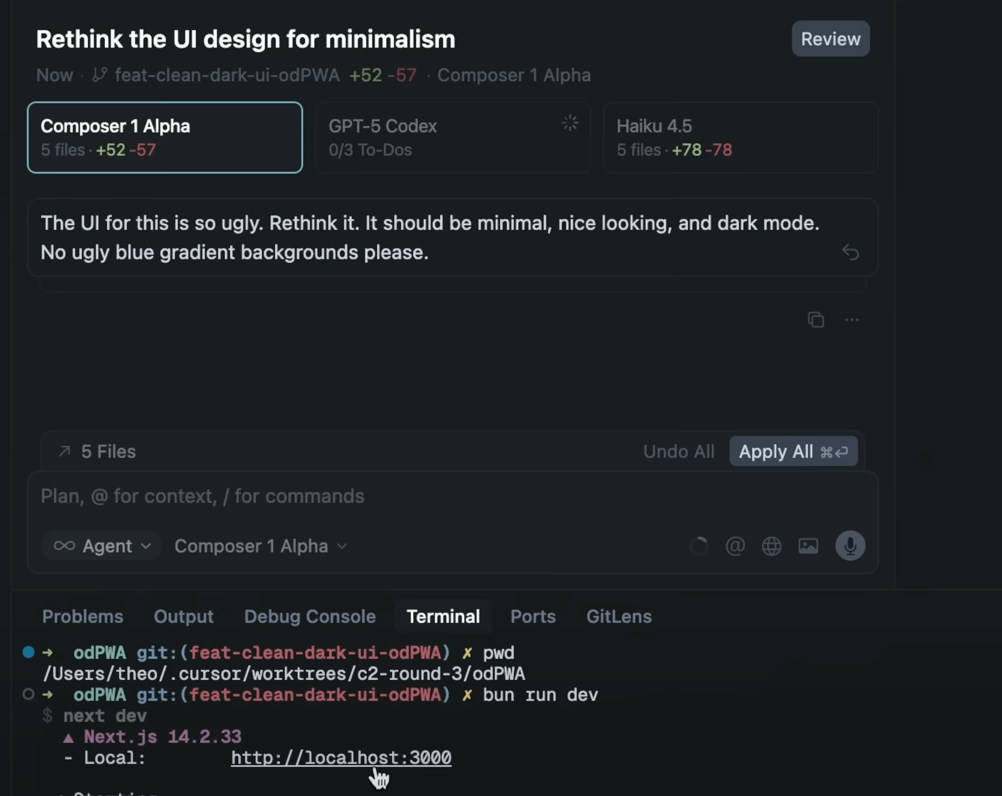
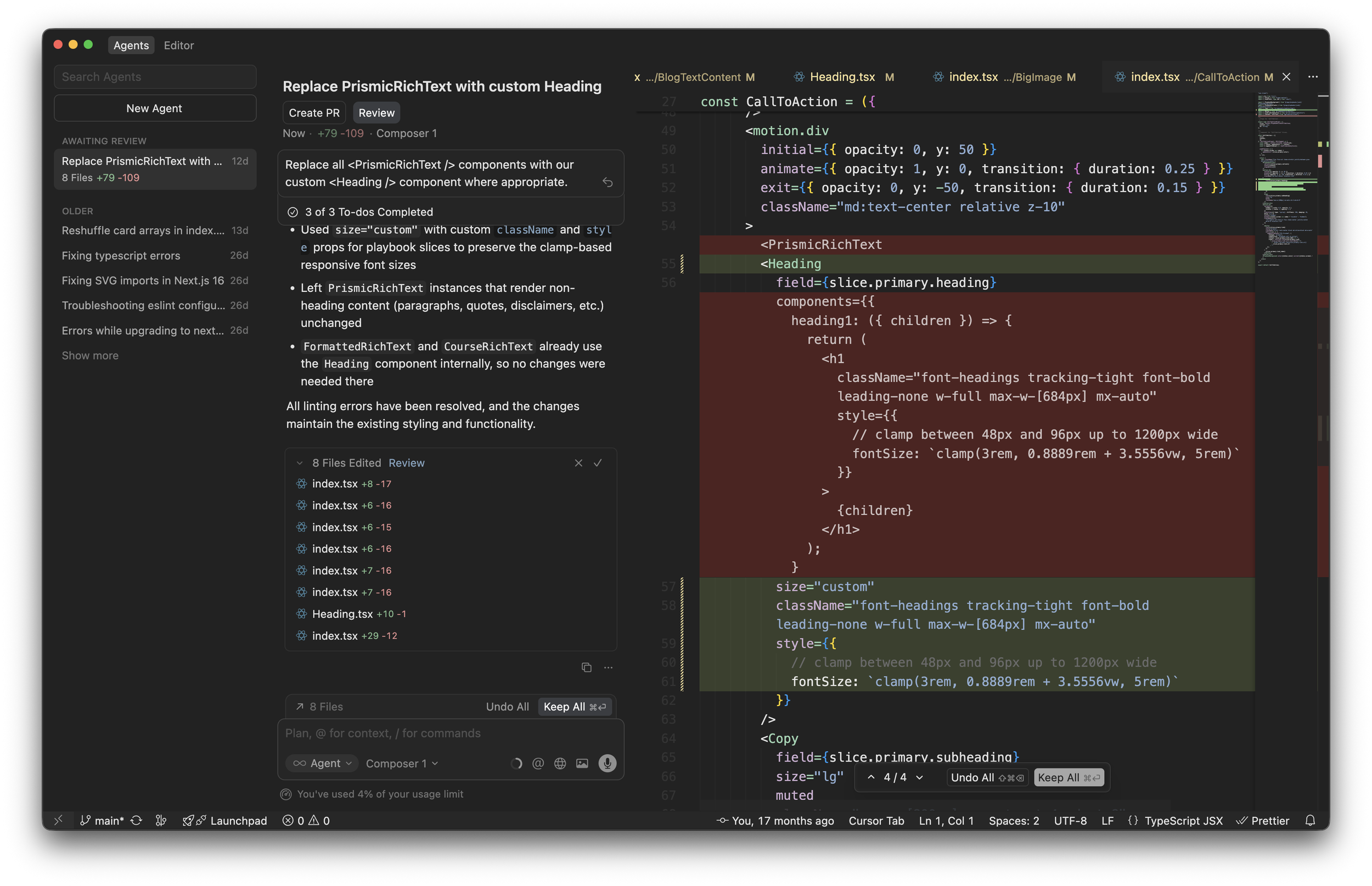
Here are three strong, real-world UI examples that closely illustrate key elements from the orchestration concepts (visible reasoning/thought traces, action planning with consent, progressive autonomy/controls, and grounded/generative outputs). I selected these for their clarity and relevance:

Cursor AI Composer – Agentic Coding with Planning & Controls

This shows an agentic interface in action: multi-file planning, to-do style breakdowns, review/approve flows, and agent mode toggles. It captures action plan cards, human-in-the-loop review, and autonomy-like controls beautifully in a productive workflow.

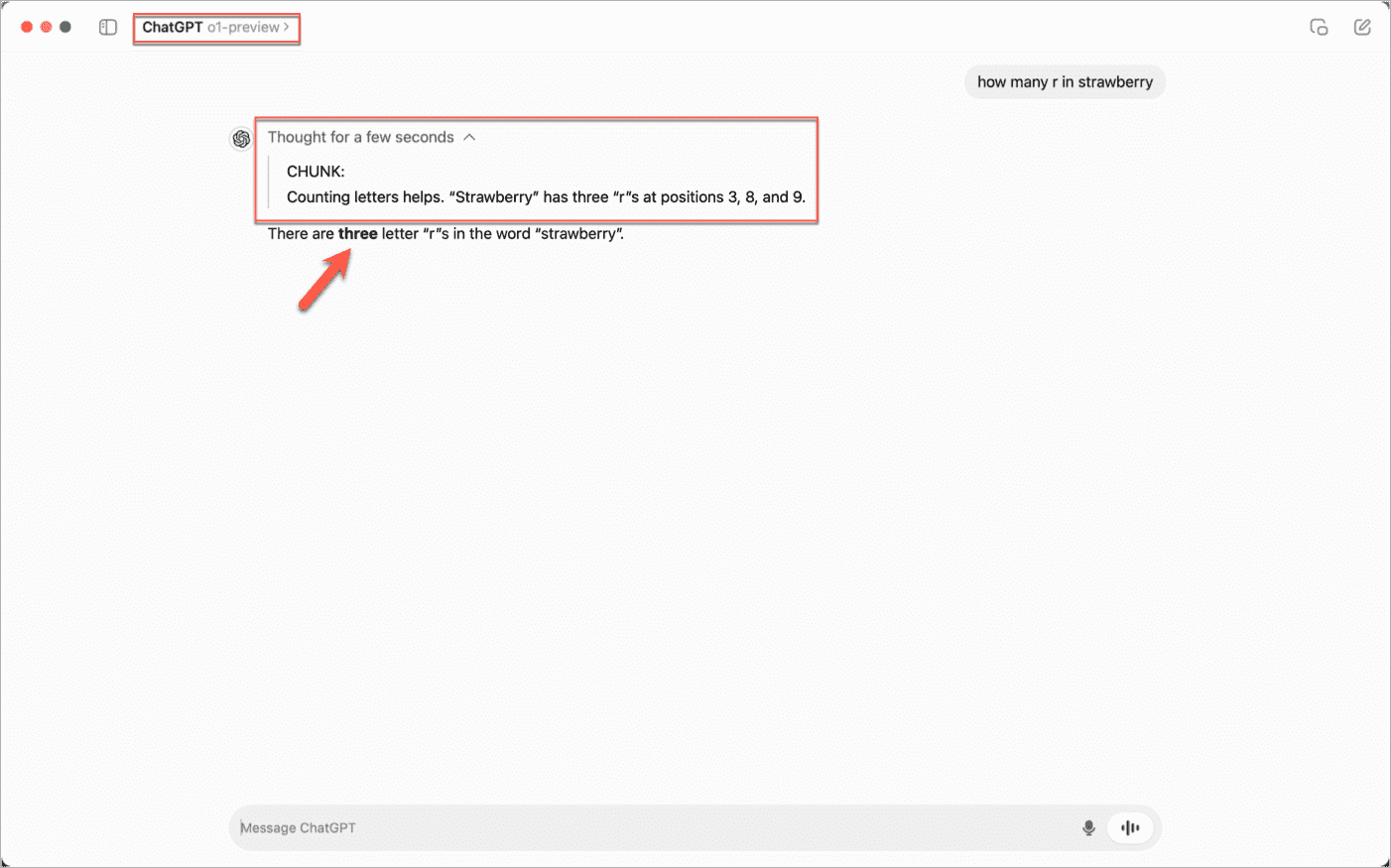
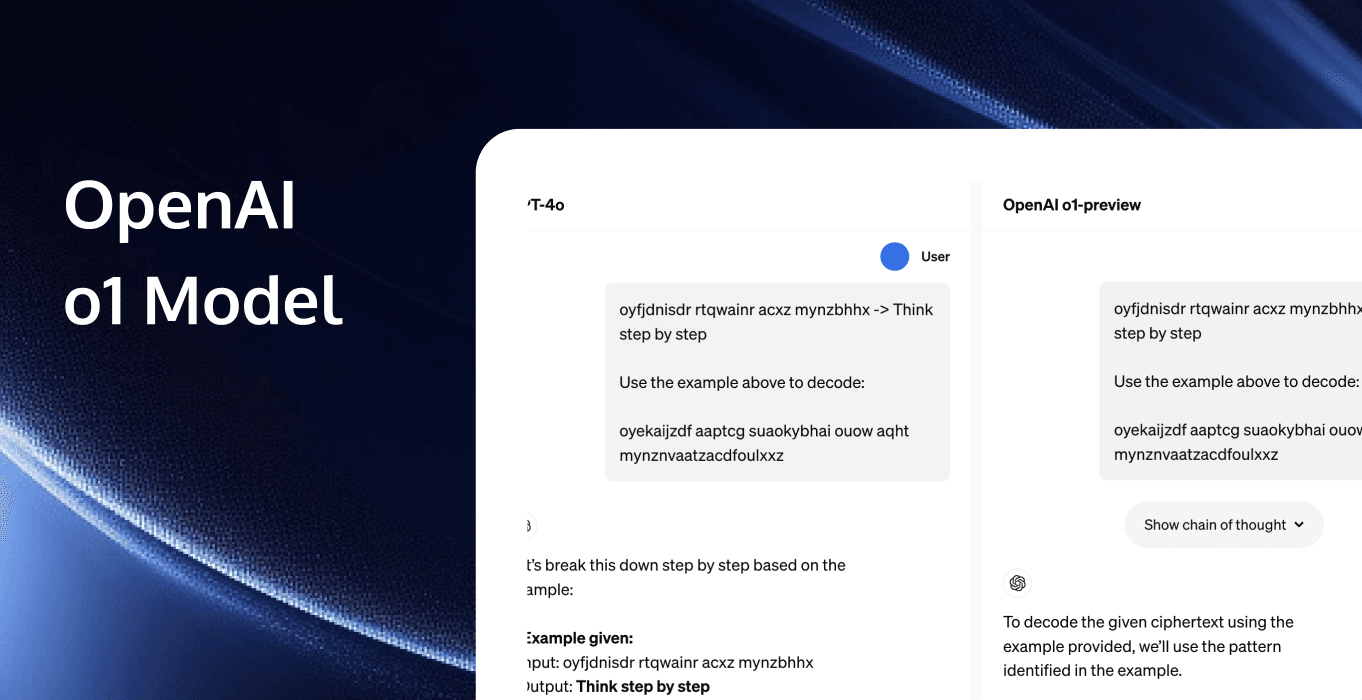
OpenAI o1 / ChatGPT o1-preview – Visible Chain-of-Thought Reasoning

A classic example of thought trace steppers and live chain-of-thought. The UI surfaces the model's internal reasoning steps (with timing and structured breakdown), making the "thinking" process transparent before delivering the final answer.

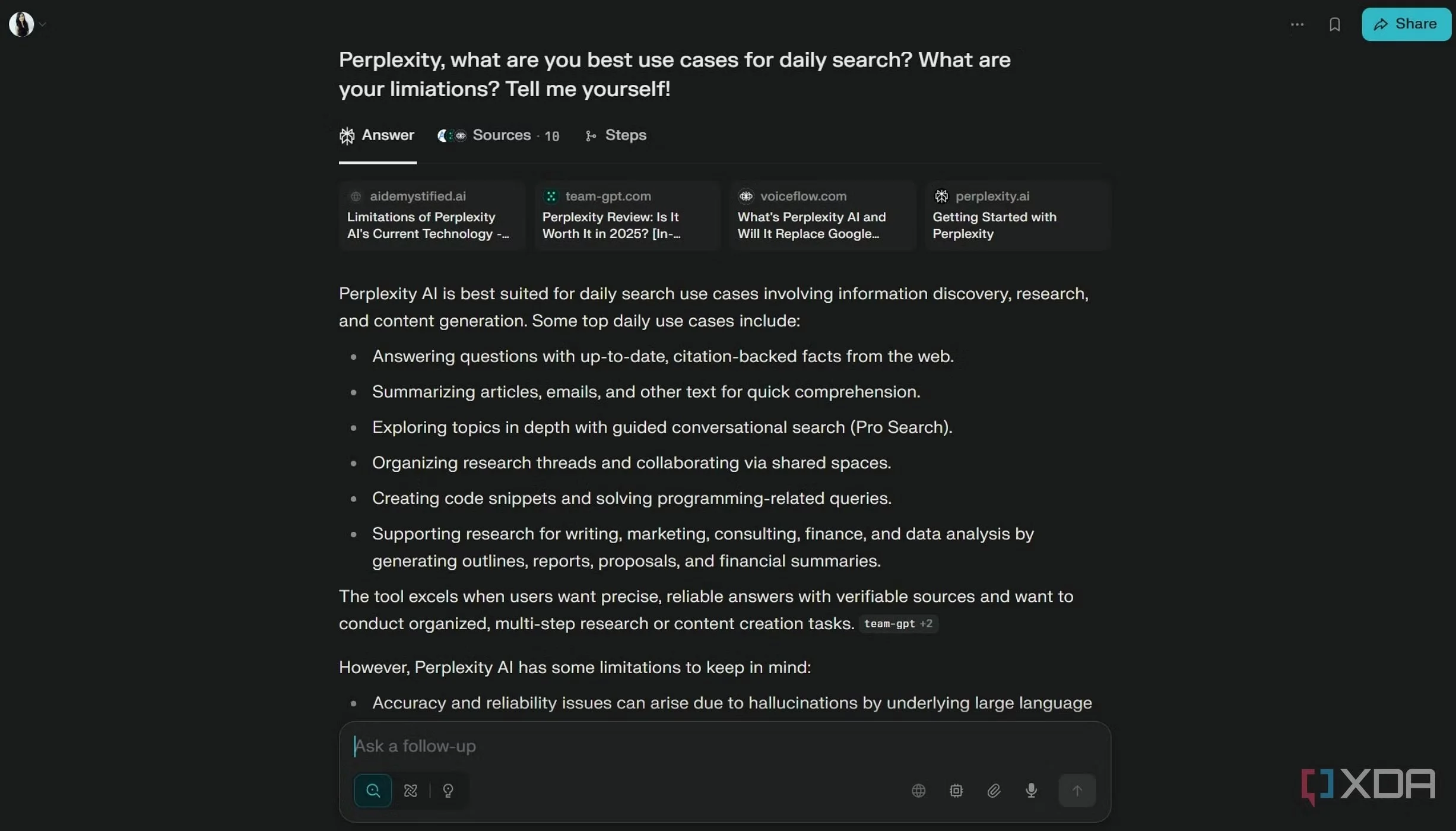
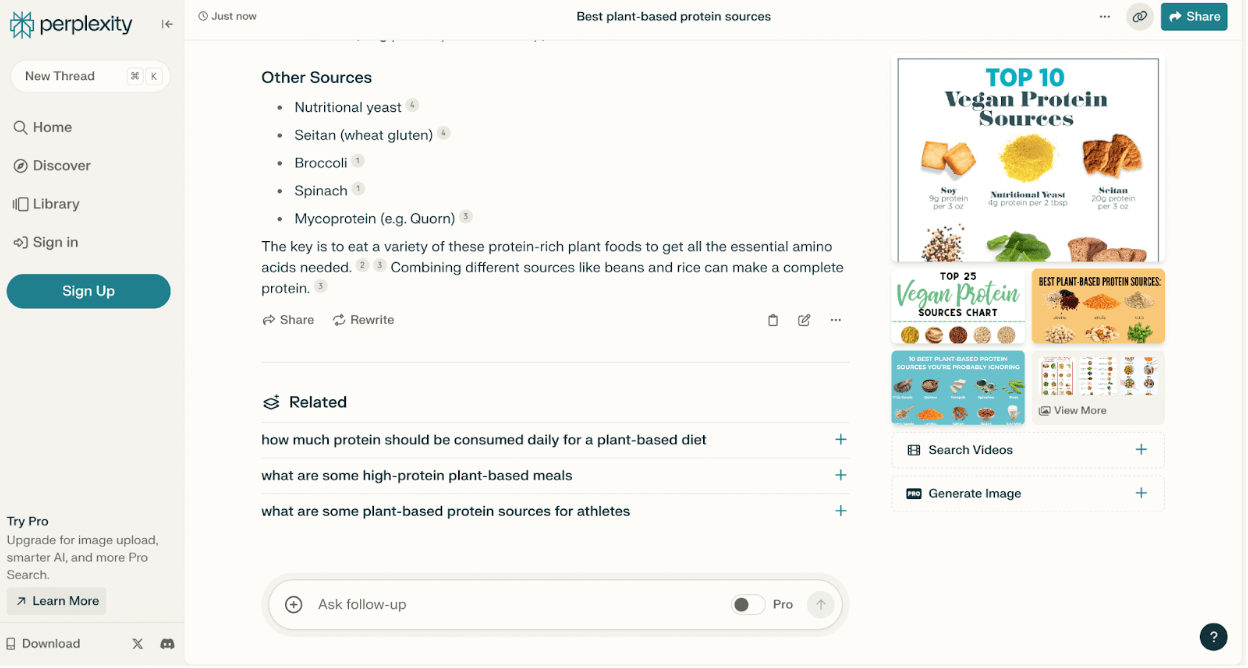
Perplexity AI – Grounded Citations & Structured Output

Excellent demonstration of grounding with citations in a clean, scannable interface. Sources are prominently displayed and linked, with related follow-ups and visual summaries—ideal for verifiable, trustworthy agent outputs.

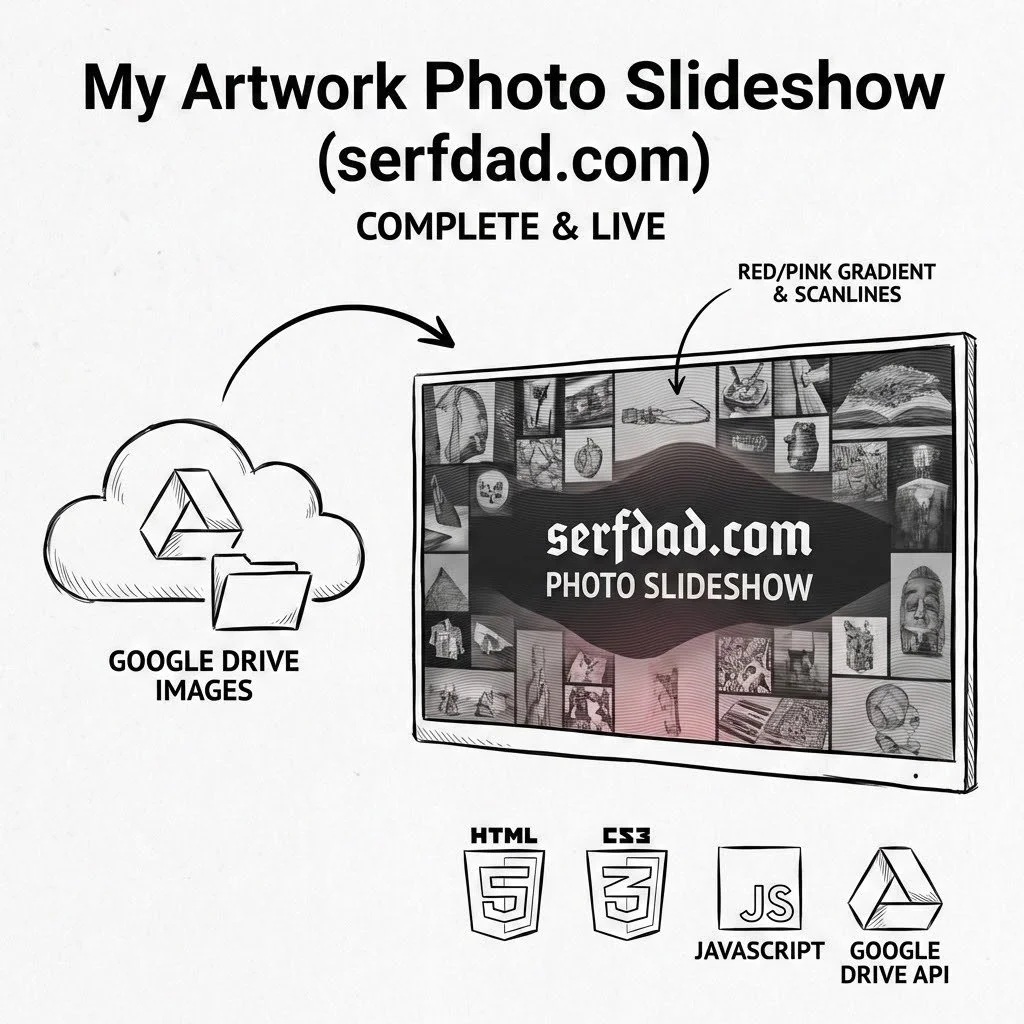
Google Image Slideshow

Challenge

Needed a dynamic, full-screen photo slideshow that automatically pulls images from Google Drive and displays them in an eye-catching mosaic layout with brand styling.


🖼️ Solution

Built a full-screen slideshow with Google Drive integration:

- Auto-fetches images from Google Drive folder

- Responsive mosaic grid (2-5 columns based on screen size)

- Animated red/pink gradient overlay

- Custom "Manufacturing Consent" font branding

- Horizontal scanline background pattern

- Automatic image rotation and transitions

- Live deployment at serfdad.com

Tech Stack: HTML5, CSS3, Google Drive API, JavaScript


Status

✅ **Complete & Live**

- Deployed and running at serfdad.com

- Automatically updates when new images added to Drive folder

Next Steps

- [ ] Monitor performance and load times

- [ ] Optional: Add fade transitions between rotations

- [ ] Optional: Admin panel to control rotation speed/layout

- [ ] Future: Support for video content alongside images

Check it out

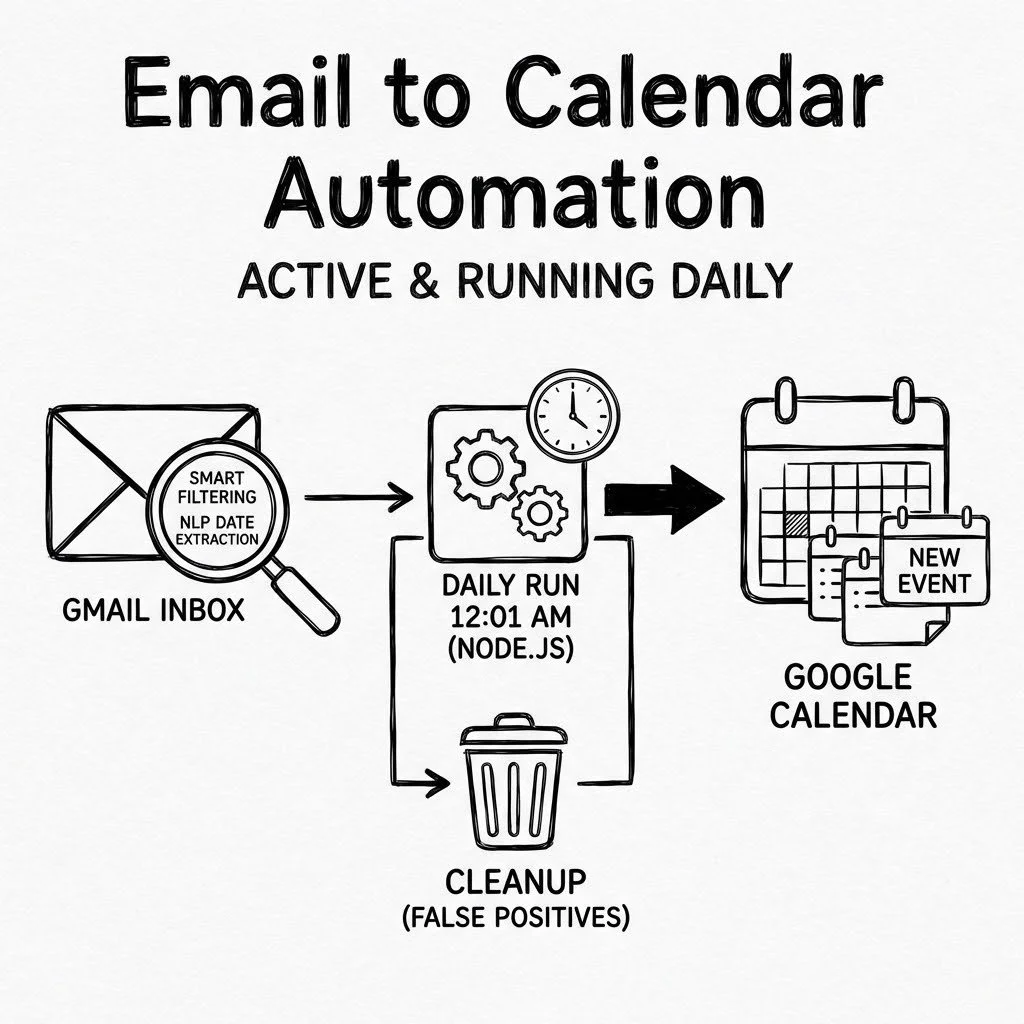
Email to Calendar Automation

Challenge

Important events and dates buried in emails were being missed. Manually scanning emails daily and adding calendar entries was time-consuming and error-prone. Early automation created too many false positives from newsletters and marketing emails.

📅 Solution

Built an automated workflow that intelligently scans emails and creates Google Calendar events:

- Service account authentication (no re-authorization needed)

- Smart filtering with EVENT_KEYWORDS and NON_EVENT_KEYWORDS arrays

- Scans gmail.com inbox

- Extracts dates from email text using natural language processing

- Creates calendar events automatically with duplicate detection

- Scheduled to run daily at 12:01 AM via cron job

- Cleanup script removed 150+ unhelpful "Event from email" entries

Tech Stack: Node.js, Google Calendar API, Google Gmail API

Status

⚡ **Active & Running Daily**

- Successfully processing emails nightly

- Smart filters prevent newsletter false positives

- Service account auth stable and reliable

Next Steps

- [x] Monitor for false positives/negatives

- [ ] Optional: Add email summary reports of events created

- [ ] Optional: Support for recurring events

- [ ] Optional: Calendar category/color coding by email source

- [ ] Future: Web dashboard to review/approve events before creation

Introducing Prompt Vault

Challenge

AI creators working across multiple platforms (GPT, Midjourney, Grok Imagine, Runway) needed a structured way to organize, version, and reuse prompts. Existing solutions were cloud-based, lacked multi-modal support, and didn't provide a framework for consistent prompt engineering.


🌹 Solution

Built a self-hosted, multi-modal prompt management system using the ROSES framework (Role, Objective, Scenario, Expected Solution, Steps). Features include:

- Adaptive prompt builders for Text, Image, and Video generation

- Type-specific fields (Style, Lighting, Camera Movement, etc.)

- Drag-and-drop gallery with live preview stitching

- Node.js/Express backend with JSON file database

- Built-in scratchpad, favorites, folders, tags, and search

- Import/Export with v1 format migration support

- Automatic backups and persistent storage

Tech Stack: HTML5, Tailwind CSS, Alpine.js, Node.js, Express

Status

✅ **Complete & Production-Ready**

- All core features implemented and tested

- Backend fully functional with CRUD API

- Documentation complete (README, Quick Start, Database Guide)

- GitHub prep files created (LICENSE, .gitignore, package.json metadata)

Next Steps

- [ ] Push to GitHub as open source project

- [ ] Create screenshots and demo GIF

- [ ] Optional: Deploy live demo on Vercel/Netlify

- [ ] Optional: Add Docker container for one-click deployment

- [ ] Future: SQLite option, multi-user support, prompt versioning