In February I decided to stop making mockups of ideas and start shipping them. Five months later I have a prompt system live on my own domain with a Chrome extension pulling from its API, a 3D product-mapping tool, and a founder-facing prototype with 350+ commits. Here's the work — and the thinking behind it.
I'm a product designer. For most of my career, "done" meant a polished Figma file handed to engineering. This year, AI-assisted development tools — Claude Code, Grok, and friends — collapsed the distance between designing a thing and having the thing. So in February I set a simple rule for myself: every idea worth exploring gets built, deployed, and used. No dead artboards.
What follows isn't a list of tutorials I completed. Each project started with a real problem — mine or someone else's — and ended with working software. That shift, from rendering intent to shipping behavior, changed how I design more than anything since I learned to prototype.
Prompt System
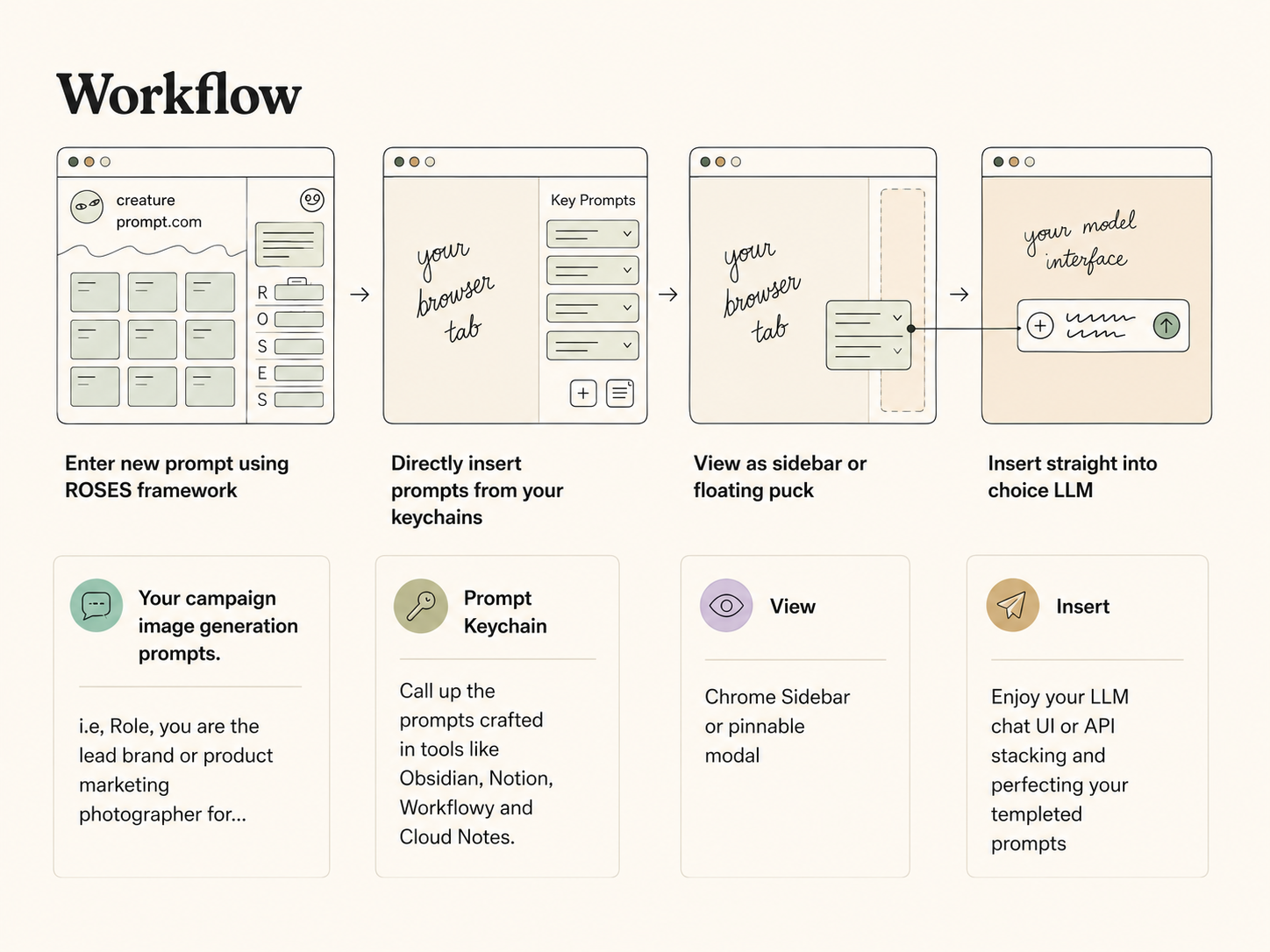
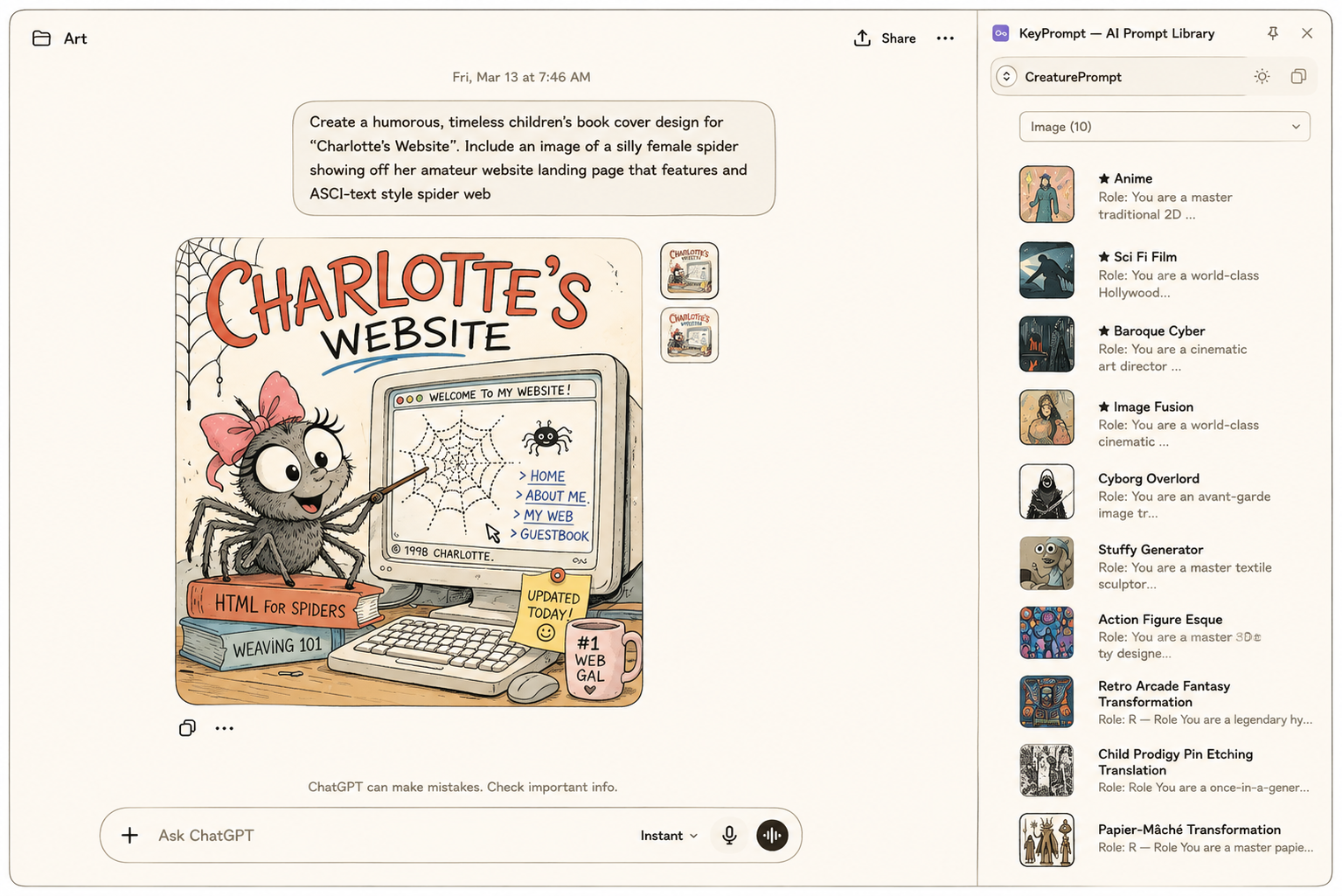
Like everyone working seriously with AI, I had prompts scattered across text files, chat histories, and memory. Instead of one app, I built a connected system with two surfaces — because the problem has two moments: the moment you organize a prompt, and the moment you need it.
PromptVault is where the library lives: a self-hosted prompt management web app built around the ROSES framework (Role, Objective, Scenario, Expected Solution, Steps), with adaptive builders that change their fields depending on whether you're prompting an LLM, Midjourney, or a video model. Making structure feel helpful rather than bureaucratic drove the design — a drag-and-drop gallery, live preview stitching, a scratchpad for composing complex prompts. Behind the UI: a Node/Express backend, automatic backups, v1 migration, and a real deployment on my own domain. Ninety-eight commits in under two weeks.
KeyPrompt is where the library gets used: a Manifest V3 Chrome extension that summons your prompts with Cmd+Click inside any text field, inserts them framework-safely, and gets out of the way. The key design decision was what it doesn't do — it deliberately never pins itself to any site's DOM, so ChatGPT or Gmail can redesign their composer tomorrow and KeyPrompt keeps working.
The two are now literally one product: KeyPrompt pulls the live library straight from PromptVault's API. Curate a prompt at home and it's instantly available in any text field on the web — the extension assembles the full ROSES prompt at the moment of insertion, grouped by generation type. The integration is deliberately read-only (editing stays in the vault, where editing belongs), and the API calls live in the extension's background worker so credentials never touch a web page. One source of truth, two surfaces, each doing only its job.
What it demonstrates: System thinking across surfaces — one product designed for both its storage moment and its point-of-use moment, then actually connected end to end: web app, REST API, and browser extension with a security-conscious architecture.
Brand Builder — a founder intake that thinks with you
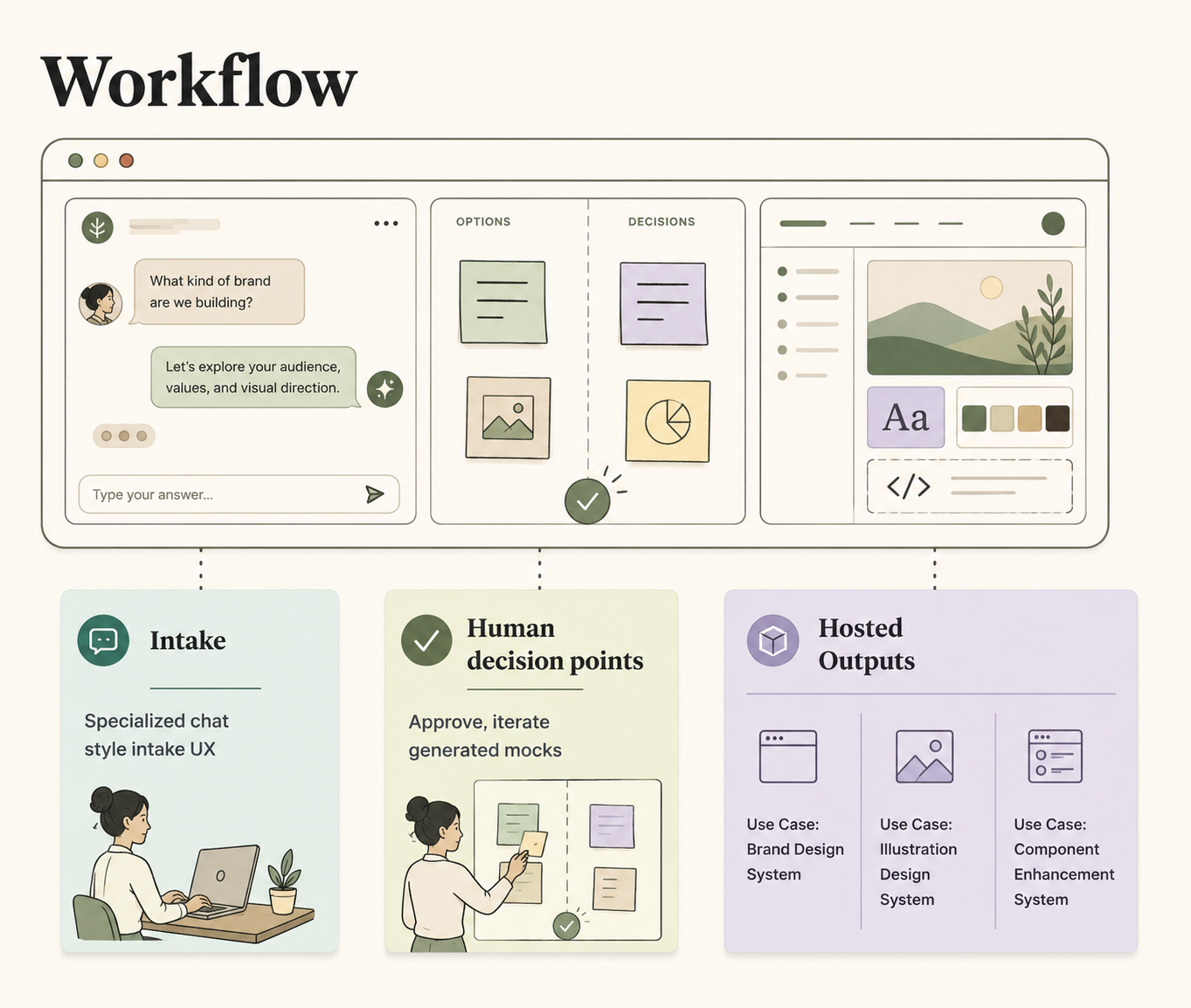
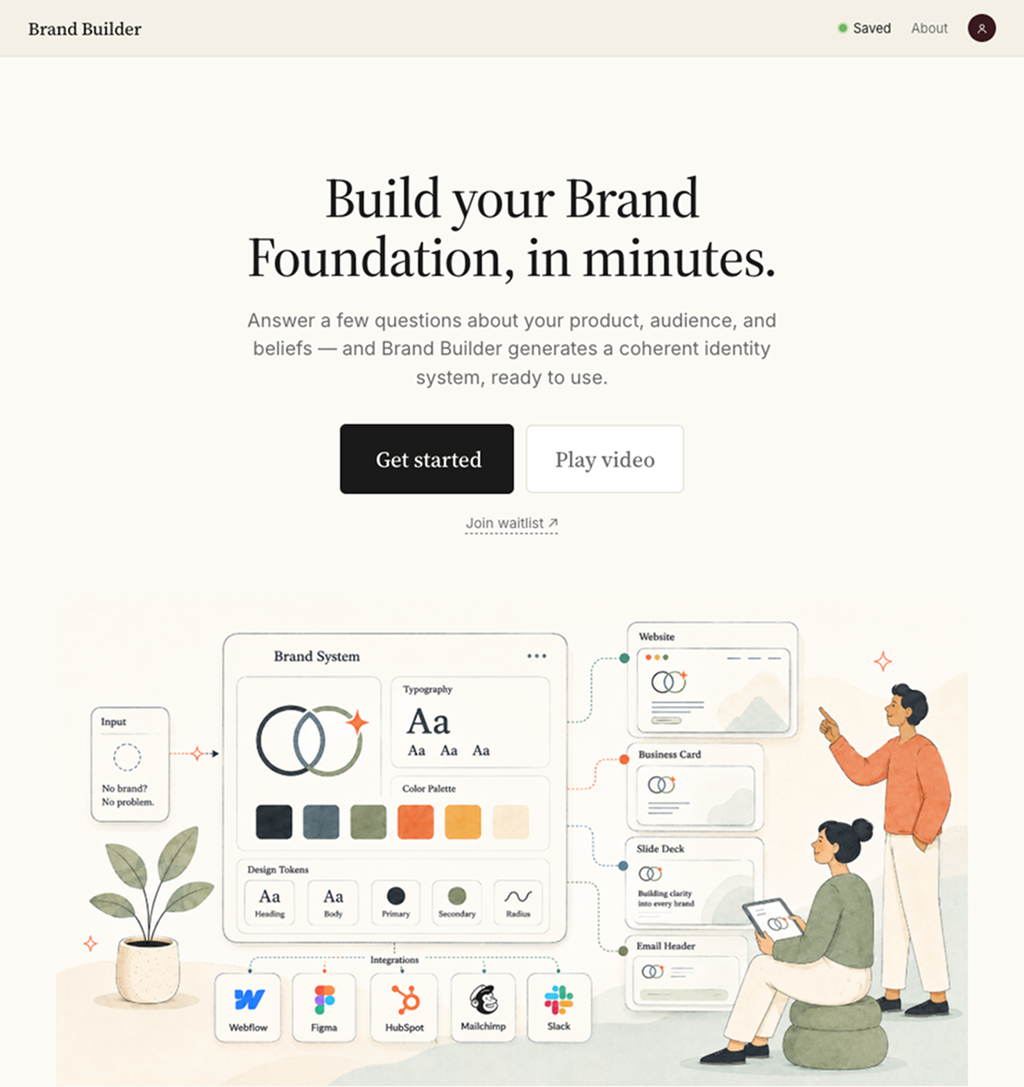
352 commits, April through today
Brand Builder is the deepest product thinking of the batch: an intake experience that walks a startup founder through defining their brand — with a fast/full path choice, auto-save, and a Naming Generator built as a decision-and-iteration loop rather than a one-shot form. Behind it sits a growing API layer that generates logos, taglines, brand stories, scene illustrations, even trademark pre-checks — and it's gated behind edge middleware for private investor previews.
The interesting design problem: AI generation is cheap, but decisions are expensive. The naming loop treats generated options as raw material for a conversation — react, refine, regenerate — instead of a slot machine. That framing shaped the whole product.
What it demonstrates: Sustained iteration on one product (three months, 350+ commits), designing human-AI decision loops, and shipping investor-ready work under real constraints.
OST Browser — making product discovery tangible
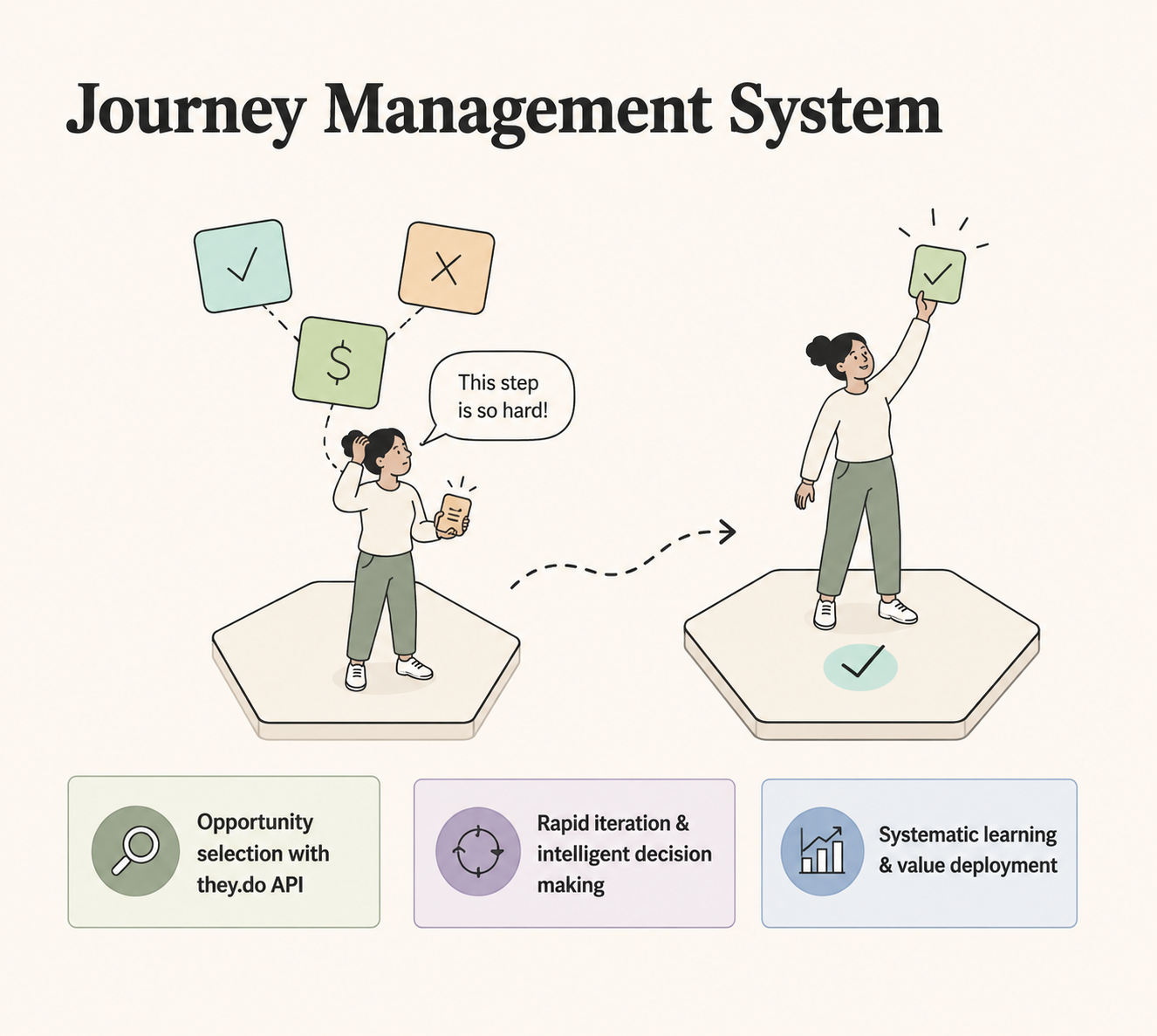
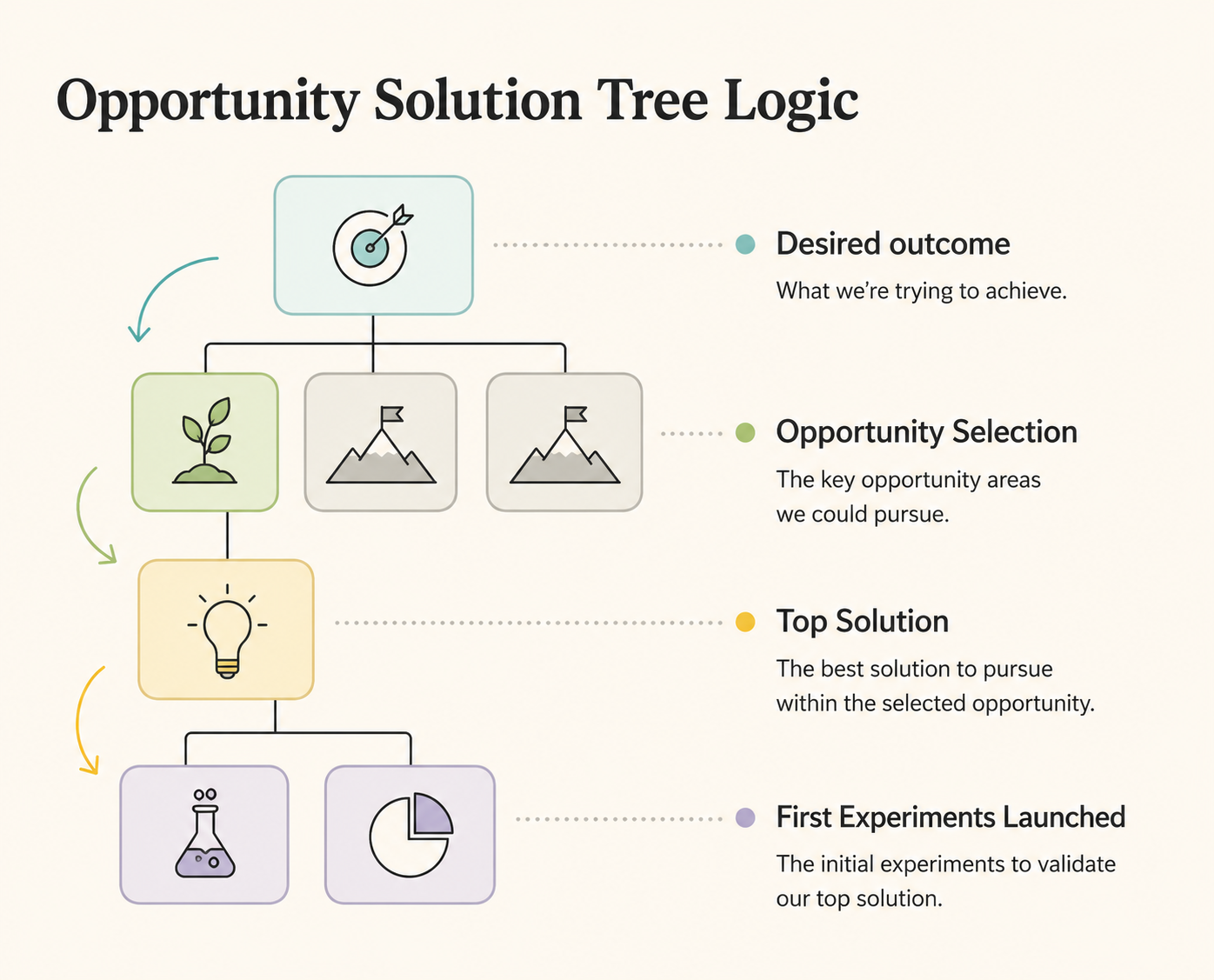
Opportunity Solution Trees (Teresa Torres' discovery framework) are usually drawn once in a workshop and forgotten. I built a zoomable, pannable OST workspace in React + TypeScript: a canvas view synced with a Workflowy-style outliner, a journey-mapping sidebar, and — my favorite part — built-in A/B test statistics (z-tests, p-values, sample-size planning) attached directly to experiment nodes.
What it demonstrates: Fluency with the modern discovery toolkit, and the conviction that process artifacts should be living tools, not workshop souvenirs. Integrates with they.do (journey management).
Currently in private beta. Message me if interested in operationalizing opportunity selection at scale.
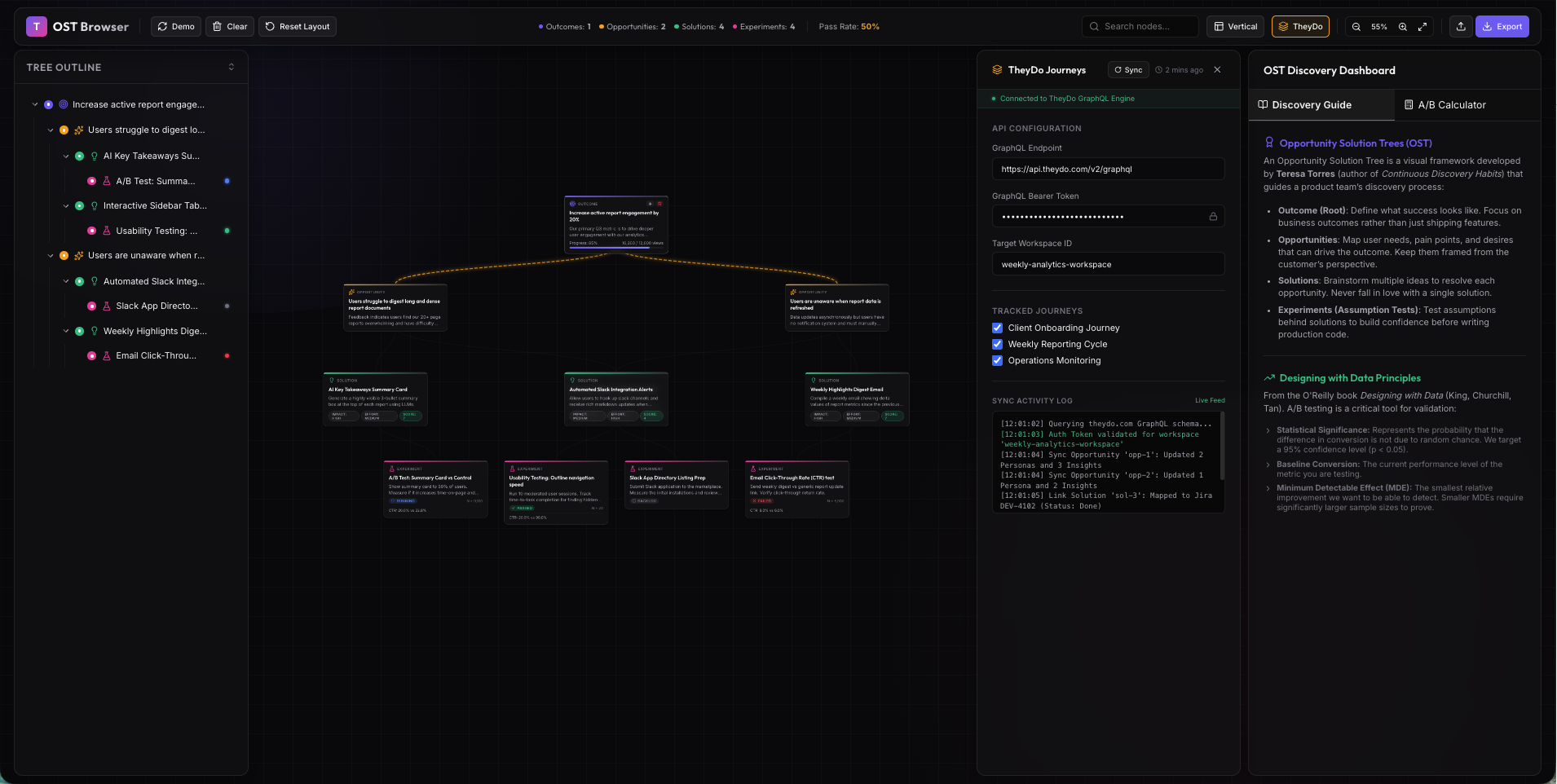
Expert dashboard allows Product Managers to share opportunity selection decision rationale faster.
Elevation — mapping product stacks in 3D
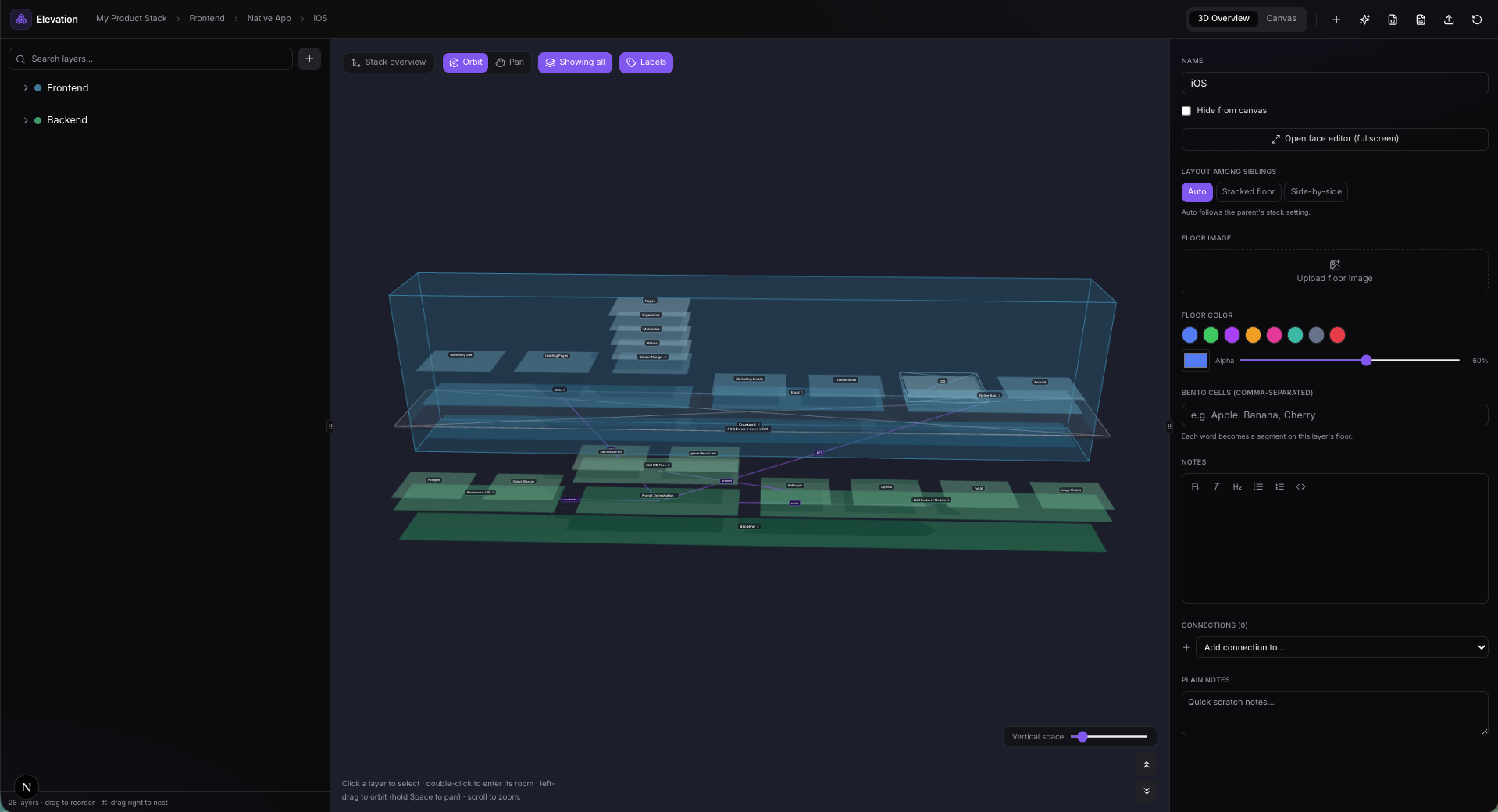
Modern products are stacks: frontend surfaces sitting on persistence layers, prompt orchestration, LLM routers. Elevation renders that stack as a navigable 3D "layer cake" — orbit the whole system, then dive into any layer on an infinite tldraw canvas. Next.js 15, React Three Fiber, and a lot of thinking about how spatial memory can make architecture discussions concrete for non-engineers.
What it demonstrates: Novel information-design instincts backed by an ambitious technical stack (3D rendering + infinite canvas in one app).
Currently in private research.
Little Learners — the human-scale one
In June I built two small Next.js learning apps for my kids' summer: Native American history and reading for my older one, robots and four-letter words for my kindergartner. Each runs on its own dedicated port on the family machine. Smallest project, best user research sessions of my career.
Currently in private research.
What five months taught me
AI didn't replace design judgment — it exposed it. When implementation is nearly free, the differentiator is knowing what to build, what to cut, and when a generated option is actually good. Every project above lived or died on decisions, not code.
Shipping is a design skill. Deployment gates, edge middleware, backup strategies, port management across six local dev servers — these used to be someone else's job. Owning them made my designs more honest.
Iteration beats inspiration. The project I'm proudest of (Brand Builder) isn't the cleverest idea — it's the one I committed to 352 times.
I also keep everything organized in an Obsidian-based project index with one-click launchers for every dev server — because a portfolio of working software deserves working infrastructure. (That system might be its own post.)
I'm looking for my next role as a product designer who ships. If your team is figuring out what AI means for product design, I'd love to talk: info@paulgoins.com